
How should a business build its annual IT budget?
A sound annual IT budget turns technology from surprise spending into planned operating decisions. It should cover maintenance, security, recovery, staffing, and replacement timing so leadership can support growth, control downtime risk, and avoid preventable emergency costs.
Arturo L. froze next year’s firewall renewal, server warranty coverage, and backup testing to keep the budget flat. Six months later, a failed storage controller and expired security filtering knocked accounting and shipping offline for two days, and the cleanup, overtime, and recovery work cost $75,000.
This opening scenario is derived from real operational incidents observed in managed IT environments. Names and identifying details have been modified for confidentiality.


About the Author: Scott Morris
Scott Morris is an experienced IT and cybersecurity professional with 16 years of hands-on experience in managed technology services. He specializes in How should a business build its annual IT budget? and has spent his career building practical recovery, security, and operational continuity processes for businesses across Nevada.
Scott Morris is a managed IT and cybersecurity professional who helps businesses manage infrastructure, secure user access, maintain stable systems, and recover cleanly when failures occur. Scott Morris has 16+ years of managed IT and cybersecurity experience. That background is directly relevant to annual IT budgeting because real budgets must account for lifecycle replacement, support coverage, security controls, backup validation, and continuity planning before neglected systems create downtime, exposure, or rushed spending; in Reno and Sparks business environments, his work is grounded in practical risk reduction, business continuity, secure infrastructure management, recovery readiness, and operational resilience.
This article explains how experienced teams usually structure IT budgeting decisions and what evidence leadership should expect before approving spend. This is general technical information; specific network environments and compliance obligations change strategy.
In mature environments, budgeting starts with an asset inventory, software and license register, contract calendar, support model, and business priorities for the coming year. That is one reason businesses using managed IT services or structured vCIO planning often see fewer surprises: renewals, warranty expirations, backup capacity, and labor demand are reviewed before they become emergency purchases.
- Run costs: support, internet, cloud subscriptions, software licensing, warranty renewals, and day-to-day administration.
- Protect costs: endpoint security, multifactor authentication, backup retention, security awareness training, and monitoring.
- Replace costs: aging laptops, switches, servers, firewalls, storage, and line-of-business software versions nearing end of support.
- Improve costs: projects tied to growth, remote work, compliance obligations, automation, or office moves.
What should an annual IT budget actually include?
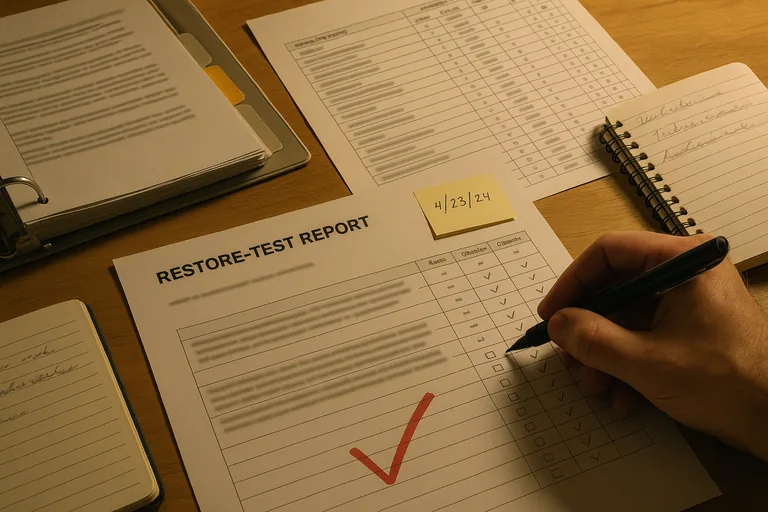
A competent budget usually separates predictable operating costs from planned replacement and improvement work. That means support labor, cybersecurity subscriptions, cloud services, licensing, internet circuits, backup storage, hardware refresh schedules, vendor renewals, user onboarding and offboarding work, and a contingency line for failures that cannot be timed precisely. A common failure point is leaving out the labor required to maintain tools already purchased; the software may be in the budget, but the administration, monitoring, and response work is not, which turns an apparent savings into delayed maintenance and preventable risk.
Why does annual IT budgeting matter beyond controlling spend?
Because most business disruption does not come from one dramatic event; it comes from deferred maintenance, unsupported systems, missed renewals, and no clear plan for recovery when something breaks. Annual budgeting forces leadership to decide what downtime is acceptable, which systems are critical to revenue, and where the business is willing to carry risk. In practice, this is also where technology planning connects to staffing, insurance requirements, vendor contracts, and business continuity, because a system that is too important to lose for one day should not be funded like a low-priority convenience tool.
Which risks and surprise costs should the budget reduce?
How does a competent IT budgeting process work in practice?
A practical process starts with an accurate inventory of devices, software, licenses, cloud services, and third-party dependencies, then layers in age, warranty status, patch status, known support issues, ticket trends, and planned business changes. From there, each item is assigned a business impact: revenue dependency, security exposure, compliance relevance, and replacement urgency. During one routine budget review pattern, repeated interface errors on a network monitoring dashboard pointed to an unstable branch connection; the deeper issue was a six-year-old core switch missing from the asset register, with no replacement line in the budget. That is a common discovery in environments where purchases were made ad hoc and documentation never caught up. Competent teams tie this work into renewal calendars, quarterly review cadence, and ongoing managed IT operations so leadership sees costs before they become outages.

How can a business tell whether its IT budget is realistic and competently built?
Ask for evidence, not just totals. A realistic budget should map to an asset inventory with device age and warranty status, a software and renewal calendar, patch compliance reports, backup restore test records, ticket trend summaries, and documented assumptions about staffing, growth, and acceptable downtime. A competent provider should be able to explain why a firewall is being replaced this year instead of next year, what report shows laptop age across the fleet, how backup testing is validated, and which subscriptions are tied to security response rather than passive monitoring. If a line item cannot be traced to a system, control, contract, or documented risk, the budget may be guesswork rather than management.
When does a weak IT budget become dangerous?
What should leadership do before approving next year’s IT budget?
Leadership should require three things before approval: a current inventory of what exists, a ranked list of business-critical systems and risks, and proof that major controls are functioning. That proof may include recent restore test results, patch compliance summaries, alert escalation records, license renewal forecasts, and documented replacement timelines for aging equipment. It also helps to review whether next year includes office changes, new compliance obligations, application upgrades, or staffing shifts that will alter demand. If those inputs are missing, the budget is not a plan; it is a placeholder.
An annual IT budget often determines whether the next problem is a controlled expense or a chaotic invoice like the one Arturo L. faced. If you need help translating technical risk, lifecycle planning, and recovery requirements into a workable budget, speak with an experienced advisor before approval season locks weak assumptions into next year’s operations.