What should business owners ask before hiring an IT company in Reno?
Before hiring an IT company in Reno, business owners should ask how support is scoped, who owns security, how response is measured, and what evidence proves the provider can keep systems stable, recoverable, and accountable.
Austin J. hired an IT company after a brief pricing call and never asked who was responsible for executive mailbox security or fraud-response escalation. When a compromised email account was used to redirect an accounts payable thread and approve a false transfer, operations stalled for two days and the combined loss, cleanup, and legal review reached $78,250.
This opening scenario is derived from real operational incidents observed in managed IT environments. Names and identifying details have been modified for confidentiality.


About the Author: Scott Morris
Scott Morris is an experienced IT and cybersecurity professional with 16 years of hands-on experience in managed technology services. He specializes in What should business owners ask before hiring an IT company in Reno? and has spent his career building practical recovery, security, and operational continuity processes for businesses across Nevada.
Scott Morris is a managed IT and cybersecurity professional who helps businesses manage infrastructure, secure user access, maintain stable systems, prepare for outages, and recover from operational failures with less disruption. Scott Morris has 16+ years of managed IT and cybersecurity experience. That background matters when evaluating what business owners should ask before hiring an IT company in Reno, because competent support is not just ticket handling; it is practical risk reduction, business continuity, secure infrastructure management, recovery readiness, and operational resilience for real business environments in Reno and Sparks.
The questions below are meant to improve vendor evaluation, not replace a technical assessment of your systems or contracts. This is general technical information; specific network environments and compliance obligations change strategy.
Hiring an IT company is really a question of operating model and accountability. A competent provider should be able to explain which parts of your environment fall under managed IT services, which vendors remain your responsibility, what is included after hours, and what triggers escalation when a business system is down.
If those answers are vague, the risk is not theoretical. Inherited environments often reveal patching that happens “when there is time,” endpoint security installed without response ownership, and user offboarding handled by email requests with no audit trail. The right pre-hire questions force clarity around ownership, documentation, and response before an outage or security event exposes the gaps.
For Reno businesses, the evaluation should fit the way the company actually operates: multi-location offices, field users, specialized software, payment workflows, medical or legal data, and local internet or vendor dependencies. A useful comparison point is what Reno businesses should look for in a managed IT services provider, because scope, response discipline, and security maturity matter more than a low monthly quote.
What should the hiring conversation establish before you compare monthly price?
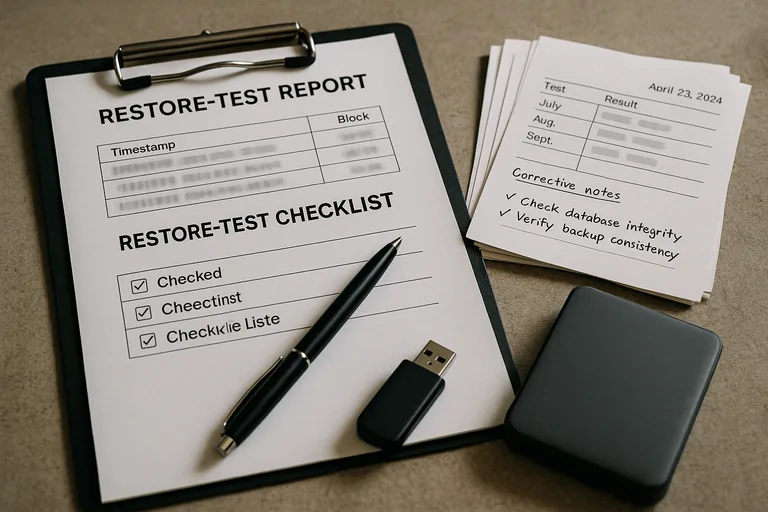
The first job of the hiring conversation is to establish whether the IT company is being asked to act as strategic operator, responsive helpdesk, cybersecurity steward, or some mix. Price becomes misleading when the provider is not responsible for server maintenance, cloud administration, vendor coordination, executive account protection, or after-hours escalation. What usually separates a stable environment from a fragile one is clear ownership of systems, identities, documentation, and decision paths before trouble starts.
Why do support scope and ownership matter so much?
What risks should a competent IT company reduce first?
A competent IT company should reduce the risks that interrupt revenue or create liability first: compromised email accounts, unmanaged administrator rights, unsupported hardware, failed patching, weak remote access, and recovery gaps around critical applications. Guidance in NIST SP 800-63B matters here because authentication is not only about passwords; it is about enforcing stronger login controls and managing identities through the full user lifecycle so old accounts, weak methods, and inconsistent MFA do not become an easy entry point. For Reno businesses handling personal information, Nevada Revised Statutes NRS 603A also matters because reasonable security measures and breach obligations turn poor IT oversight into direct business exposure.
How should support, monitoring, and security work in practice?
In mature environments, support runs on repeatable workflows rather than technician memory. One of the first things experienced IT teams check is whether the environment has an accurate asset inventory, standardized endpoint deployment, scheduled patching, alert thresholds, ticket triage rules, privileged access control, and documented vendor contacts for key systems. During a routine review, repeated failed sign-in alerts on an executive mailbox led to the discovery that legacy email access was still enabled even though MFA had been rolled out. The control looked complete on paper, but the weaker access path remained open; the fix was to disable legacy protocols, verify policy enforcement, and document the exception process. Real evidence of competent execution includes patch compliance reports, monitoring dashboards, alert escalation records, and written procedures showing who responds when a warning becomes an incident.
How can you verify the provider actually does what it promises?
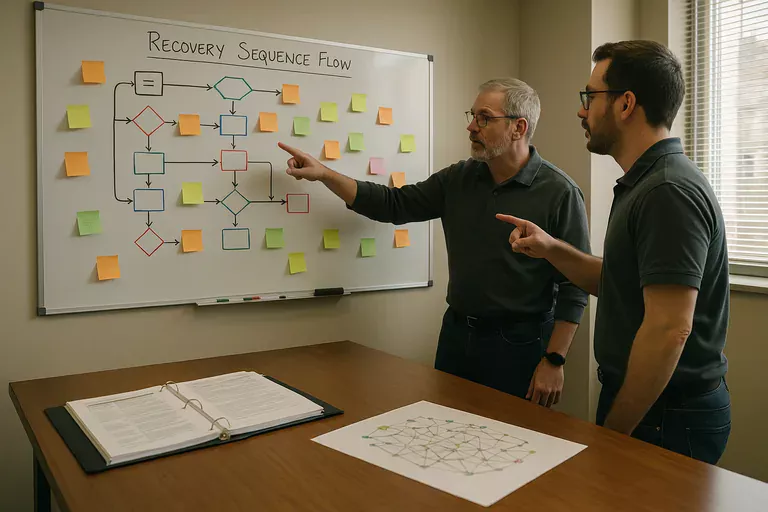
Ask what proof the provider produces each month and what it tests on a schedule. A mature environment should generate asset inventory records, ticket metrics, backup restore test results for critical data, access review logs, security incident timelines, and change records for firewall, server, or cloud configuration changes. In practice, the issue is rarely the tool alone; it is the process around it. monitoring software may generate alerts, but if nobody reviews false positives, confirms closures, or documents recurring issues, the business is paying for visibility without response. That is how weak environments drift into silent failure.
When does weak implementation become dangerous?
Weak implementation becomes dangerous when controls exist only as assumptions. Common signs include shared admin credentials, former employees still listed in Microsoft 365 or line-of-business apps, security software deployed to some endpoints but not all, undocumented firewall changes, and a single technician who just knows how the network is wired. This tends to break down during staff turnover, vacations, vendor disputes, or active incidents, because nobody can prove what is protected, what changed, or who has authority to act. Hidden fragility usually shows up first as longer outages, confused escalation, and preventable data exposure.
What should happen before you sign an agreement?
If one unanswered question about ownership, MFA, or escalation could turn into the kind of $78,250 disruption that hit Austin J., it is worth speaking with an experienced advisor before choosing an IT company in Reno. A short review of scope, evidence, and failure points can prevent a long and expensive lesson.