
What are the risks of unmanaged SaaS applications?

Unmanaged SaaS applications create hidden security, compliance, cost, and continuity problems because nobody owns access, data handling, vendor review, or offboarding. The risk is rarely the app alone; it is the missing operational control around it.
At Arnau Q.‘s 28-person firm, a department head adopted a contract-sharing SaaS tool outside IT, synced customer files, and left a former consultant account active without MFA. The exposure triggered emergency containment, legal review, and rework that totaled $74,750.
The following scenario illustrates a real failure pattern commonly encountered in unmanaged or loosely managed business technology environments. Identifying details have been changed.

About the Author: Scott Morris
Scott Morris is an experienced IT and cybersecurity professional with 16 years of hands-on experience in managed technology services. He specializes in What are the risks of unmanaged SaaS applications? and has spent his career building practical recovery, security, and operational continuity processes for businesses across Nevada.
Scott Morris is a managed IT and cybersecurity professional who helps businesses manage user access, secure cloud platforms, maintain stable infrastructure, recover from outages, and reduce operational risk across day-to-day business technology environments. Scott Morris has 16+ years of managed IT and cybersecurity experience. That background matters when evaluating unmanaged SaaS applications because these problems usually sit at the intersection of identity control, vendor oversight, business continuity, recovery readiness, documentation, and operational resilience in real Reno and Sparks business environments.
The examples below are meant to help leadership teams evaluate exposure, controls, and provider competence in practical terms. This is general technical information; specific network environments and compliance obligations change strategy.
Unmanaged SaaS usually means a cloud application is being used for company work without full IT ownership over procurement, identity, security settings, logging, data handling, and offboarding. In practice, these tools often arrive through convenience: a department starts a trial, connects company email, uploads sensitive files, and the app becomes part of operations before anyone folds it into managed IT operations.
- Identity sprawl: Users create separate passwords or social logins, so offboarding becomes incomplete and MFA enforcement inconsistent.
- Data fragmentation: Contracts, HR records, customer exports, or chat histories end up in platforms outside normal retention, discovery, and recovery processes.
- Vendor blind spots: Leadership may not know where data is stored, who holds admin rights, or how the vendor handles outages, logs, and breach notification.
- Cost leakage: Auto-renewing subscriptions, duplicate tools, and unused seats increase spend while reducing standardization and accountability.
In practice, the issue is rarely the tool alone; it is the process around it. In mature environments, each SaaS platform has a business owner, a security review, an access model, and a documented offboarding path, often coordinated through structured managed IT services. Without that discipline, the first hard question during an incident is usually, “Who approved this app, who has admin rights, and where is the data now?”
What counts as an unmanaged SaaS application?
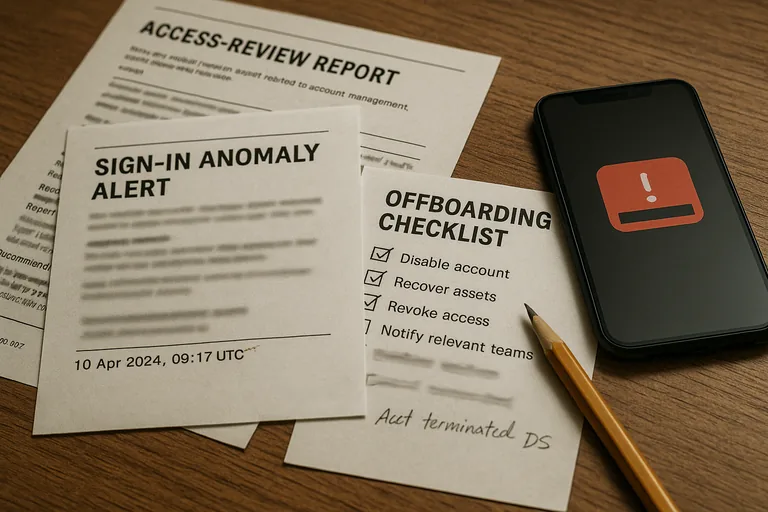
An unmanaged SaaS application is any cloud service used for business work without clear ownership for access, security configuration, logging, data retention, vendor review, and termination. A common failure point is assuming an app is “managed” because IT knows it exists or pays the invoice. If the platform is not tied into central identity, if admin roles are not reviewed, or if nobody can explain how company data is exported and removed, the app is still unmanaged in the ways that matter during an incident.
Why do unmanaged SaaS applications create disproportionate risk?
They create disproportionate risk because they bypass the controls leadership assumes already exist. Customer data may leave the approved stack, former staff may keep access through local accounts, and legal or compliance obligations may still apply even though IT has little visibility. Guidance in NIST SP 800-63B matters here because authentication is not just a password problem; it is an identity lifecycle problem. In business terms, if a company cannot consistently enforce MFA, revoke access, and review sign-in behavior across SaaS apps, one compromised account can expose contracts, payroll records, CRM data, or internal approvals without touching the office network at all.
Which failure modes cause the most damage in weak environments?
- Orphaned accounts: A user leaves, the email account is disabled, but the SaaS platform still has a local login or active API token tied to company data.
- Unreviewed admin rights: Department users gain administrator access over time and can change sharing, retention, or export settings without oversight.
- Duplicate copies of sensitive data: Teams export reports or contracts into separate apps, creating extra breach surface and confusion during legal discovery or recovery.
- Invisible integrations: Connected tools receive broad permissions to calendars, mailboxes, storage, or CRM records, yet no one reviews whether those permissions are still justified.
How should SaaS access and oversight work in practice?
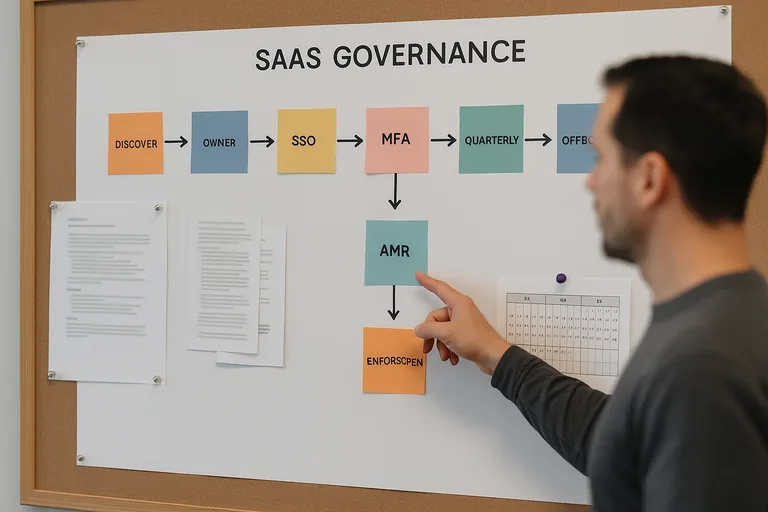
A competent process starts with application discovery from identity logs, finance records, browser security tooling, and procurement review. Each approved SaaS platform should be tied to a business owner, classified by data sensitivity, integrated with central identity where possible, protected by MFA, limited by least-privilege roles, and logged to a place someone actually reviews. The same identity discipline used in Microsoft 365 security for business use should extend to every SaaS platform holding company data. Real implementation evidence includes an application inventory, admin role reports, documented approval criteria, offboarding checklists, exception records for apps that cannot use SSO, and change records showing when access or integrations were modified.
What evidence shows SaaS risk is actually being managed?
Competent organizations verify rather than assume. They can show access review reports, SSO enrollment status, login anomaly alerts, vendor review notes, exception tracking, and test records proving that exported SaaS data can actually be recovered in a usable format. During a routine identity review, a sign-in alert showed a dormant marketing platform still authenticating through a former employee’s token. Investigation found the app had never been entered into the application register, so offboarding never touched it. That is a common discovery pattern in weak environments: the access control existed elsewhere, but the app sat outside the process.
What warning signs suggest your current SaaS management is weak?
What should leadership do next to reduce unmanaged SaaS exposure?
Leadership usually gets the fastest traction by building a current SaaS inventory, assigning data and budget owners, and separating sanctioned tools from convenience purchases that grew without review. From there, enforce central identity where possible, retire duplicate or unsupported apps, require a security review before renewal, and set a quarterly cadence for access reviews, admin-role review, and recovery testing for critical platforms. What usually separates a stable environment from a fragile one is not whether every app is blocked or allowed; it is whether adoption is accountable, supportable, and recoverable before the next departure, phishing event, or vendor outage exposes the gap.