
Truckee Network Crash
When a business is dealing with a network crash, the failure usually started earlier. Phishing clicks, password reuse, and weak account hygiene can weaken managed backup solutions over time and leave financial offices in The Truckee Meadows exposed when pressure hits. Addressing the problem means tightening identity controls and building safer day-to-day habits.
This case study reflects real breakdown patterns documented across 300+ regional IT incidents. Names and identifying details have been modified for confidentiality, while technical and financial data remain accurate to the original events.
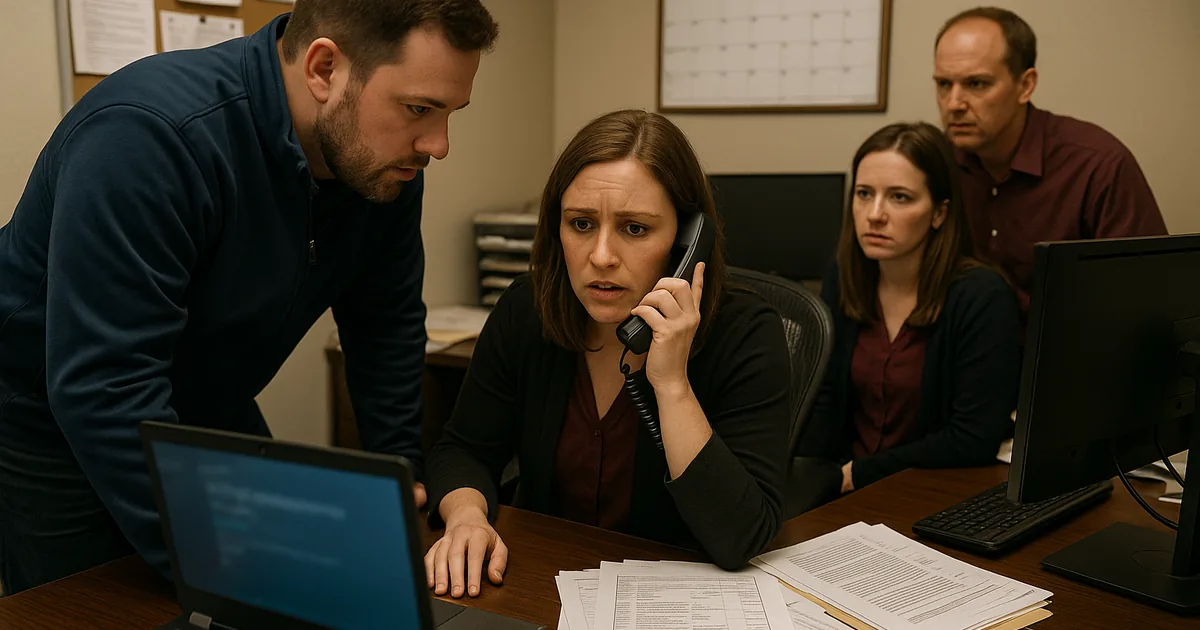
How Human Error Turns Into a Network Crash

A network crash in a financial office often looks sudden, but the real issue is usually identity compromise that has been building quietly. In The Truckee Meadows, we regularly see the same pattern: a user clicks a convincing email, reuses a password that has already been exposed elsewhere, and the attacker gains enough access to interfere with authentication, shared drives, or backup administration. Once that happens, the outage is no longer just a network problem. It becomes an access-control problem, a backup-integrity problem, and a business continuity problem at the same time.
The human element matters because financial offices depend on stable access to line-of-business applications, document repositories, and current records throughout the day. If one compromised account can disable alerts, alter backup settings, or trigger account lockouts, the office may interpret the event as a server or internet failure when the root cause is actually weak user security behavior. That is why businesses relying on managed backup solutions in Reno need to treat phishing resistance and password discipline as part of infrastructure protection, not just staff training. In incidents like the one that affected Kent, the visible crash is often just the final symptom.
- Credential reuse: One password used across Microsoft 365, VPN access, or finance platforms can let a phishing event spread beyond email and disrupt backups, authentication, and file access.
- Weak alert visibility: Backup failures may begin hours or days before staff notice, especially if warning emails are ignored, filtered, or sent to an unattended mailbox.
- Operational pressure: Busy offices in Reno, Sparks, and Carson City often move quickly between client calls, reporting deadlines, and approvals, which makes fake reset links more likely to be opened without verification.
- Shared access habits: Informal credential sharing or broad admin rights can turn one user mistake into a wider outage affecting billing, reporting, and client communications.
Practical Remediation for Identity, Backup, and Access Stability
The fix is not a single tool. It is a layered operating model that reduces the chance of a bad click becoming a business interruption. Start with phishing-resistant multifactor authentication, remove unnecessary admin rights, and enforce unique passwords through a managed identity platform. Then review backup systems as if an attacker already has one user account: can they disable jobs, alter retention, or suppress alerts? If the answer is yes, the backup environment needs stronger separation and validation.
We typically recommend documented response steps, tested restore points, and quarterly review cycles tied to IT planning and budgeting in Northern Nevada so controls are funded before a failure forces the issue. For financial offices, it also helps to align internal practices with practical guidance from CISA , especially around phishing, MFA, and password management. The goal is straightforward: make account compromise harder, make backup tampering easier to detect, and make recovery faster when something still gets through.
- MFA hardening: Require multifactor authentication for email, remote access, backup consoles, and administrator accounts, with legacy authentication disabled.
- Backup isolation: Separate backup administration from everyday user credentials and validate restore capability on a schedule, not just job completion.
- Alerting improvements: Route failed backup, lockout, and suspicious sign-in alerts to multiple monitored contacts so one compromised mailbox does not hide the warning.
- Endpoint control: Use EDR and web filtering to reduce the chance that a phishing click leads to credential theft or malicious script execution.
Field Evidence: Financial Office Recovery After Credential-Driven Downtime
We worked through a similar pattern for a professional office operating between south Reno and client locations across the Truckee Meadows. Before remediation, the environment had inconsistent MFA enrollment, broad shared permissions, and backup alerts going to a single administrative inbox. A phishing event led to account lockouts, missed backup notifications, and several hours of confusion because staff initially believed the issue was a carrier or firewall outage.
After the cleanup, the office moved backup administration to separate protected accounts, enforced MFA across core systems, and added routine review through a technology advisory and assessment process so policy drift was caught earlier. The next suspicious login event was contained before file access was interrupted, and the office was able to continue normal client work despite the attempted compromise. That kind of improvement matters in Northern Nevada, where small multi-role teams do not have spare hours to absorb preventable downtime.
- Result: Backup alert visibility improved immediately, unauthorized sign-in attempts were blocked, and recovery readiness testing reduced estimated outage exposure from most of a workday to under 45 minutes.
Reference Table: Controls That Reduce Human-Triggered Outages
Scott Morris is an experienced IT and cybersecurity professional with 16 years of hands-on experience in managed technology services. He specializes in Managed Backup Solutions and has spent his career building practical recovery, security, and operational continuity processes for businesses across The Truckee Meadows and Northern Nevada.


About the Author: Scott Morris
Local Support in The Truckee Meadows
Reno Computer Services supports businesses across Reno, Sparks, and nearby office corridors where a short drive can still mean meaningful downtime when access fails. For financial offices working between downtown Reno and south Reno business centers, response planning matters because even a modest delay can affect billing, client scheduling, and end-of-day reporting.
What Financial Offices Should Take Away
If a financial office in The Truckee Meadows experiences a network crash after a phishing event or account compromise, the right response is to look past the visible outage and examine identity controls, backup separation, and alerting discipline. Most of these incidents are not caused by one dramatic technical failure. They come from small gaps in user behavior and account management that accumulate until normal operations break.
The practical takeaway is simple: strengthen passwords and MFA, reduce unnecessary access, validate backups as recoverable, and review warning signs before they become downtime. That approach protects not only systems, but also billing flow, client trust, and staff productivity.