
Reno/Sparks Network Crash
This kind of issue rarely appears all at once. For financial offices in Northern Nevada, it usually builds through slow devices, ticket backlogs, and repeated workarounds and then surfaces as a network crash, slower recovery, or higher exposure. A more reliable setup starts with stabilizing daily support, reducing repeat issues, and standardizing how IT is handled.
This case study reflects real breakdown patterns documented across 300+ regional IT incidents. Names and identifying details have been modified for confidentiality, while technical and financial data remain accurate to the original events.
Why Operational Drain Turns Into a Network Crash

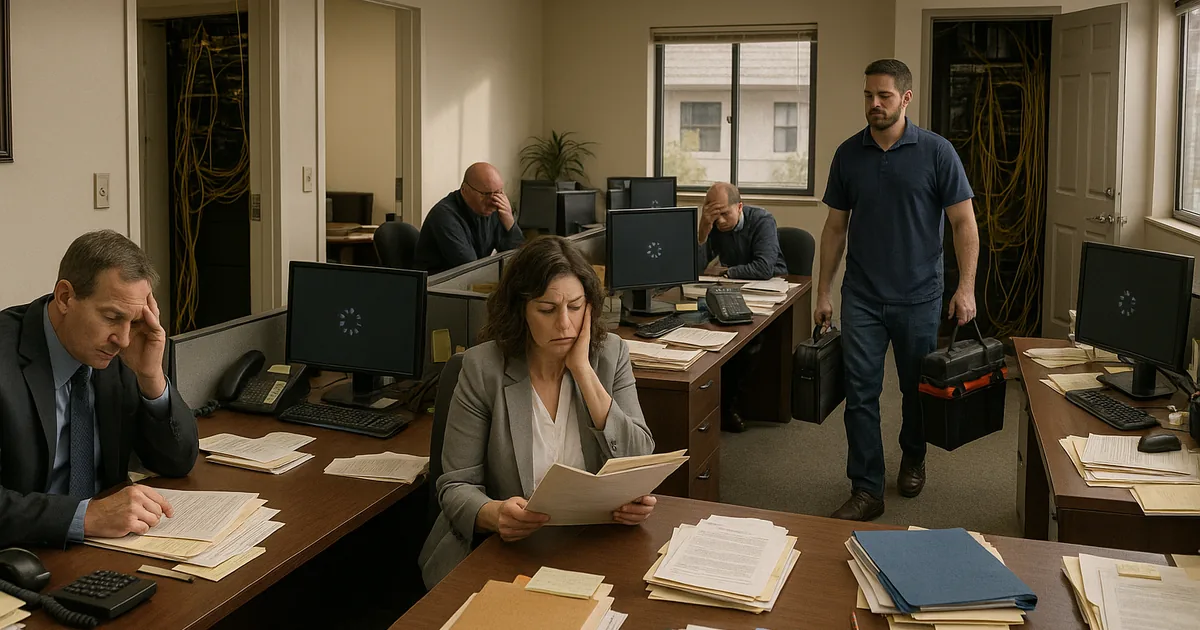
In financial offices, a network crash is often the visible symptom of a longer operational decline. The pattern usually starts with small daily issues: machines that take too long to authenticate, line-of-business applications that freeze during peak use, unresolved tickets that stay open too long, and staff creating workarounds just to keep client work moving. That is the operational drain. It reduces billable time, increases rework, and weakens the environment until one failure finally affects the whole office.
We see this across Northern Nevada when support is reactive instead of standardized. In Reno and Sparks, many offices depend on a mix of aging switches, inconsistent Wi-Fi coverage, shared storage, and cloud applications that all need stable local performance to function well. When no one is actively reviewing backup jobs, endpoint health, patch status, and network load together, the environment becomes fragile. That is why firms dealing with recurring friction often need structured backup and disaster recovery support in Northern Nevada tied to day-to-day operations, not just a plan that sits on paper. In cases like Jennifer’s, the crash itself is only the final event; the real issue is that repeated small failures were allowed to accumulate without root-cause correction.
- Technical factor: Unresolved endpoint slowdown, overloaded network equipment, and inconsistent backup monitoring can combine to create authentication failures, file access delays, and longer recovery windows when a core device or service finally stops responding.
- Operational detail: Financial teams lose time first through repeated interruptions, then lose control of scheduling, reporting, and billing when staff can no longer trust system availability.
- Business consequence: What begins as minor friction can create missed deadlines, delayed client communication, and higher exposure if backup integrity has not been validated before the outage.
What Stabilization and Remediation Should Look Like
The fix is not just replacing one failed device. A stable recovery approach starts by reducing the daily friction that weakened the office in the first place. That means reviewing switch and firewall health, checking for packet loss or interface errors, validating workstation performance, cleaning up unresolved tickets, and confirming that backup jobs are completing and can actually be restored. For financial offices, recovery planning should be tied directly to operational priorities such as client files, accounting systems, document management, and secure remote access.
We typically recommend documented recovery objectives, tested restore procedures, and a compliance-aware backup structure that aligns with business continuity and backup compliance . Controls should also follow practical guidance from CISA , especially around backup isolation, incident response, and recovery testing. When the environment has already been strained by repeated workarounds, remediation should include alert tuning, patch discipline, MFA review, endpoint protection checks, and network segmentation where traffic congestion or flat network design is contributing to instability.
- Control step: Backup validation
- Practical action: Run scheduled restore tests for critical financial data, confirm recovery time expectations, and document which systems must come back first so staff can resume billing, reporting, and client service in the right order.
- Control step: Network cleanup
- Practical action: Replace failing edge or switching hardware, correct duplex and interface issues, review VLAN design, and separate critical business traffic from guest or low-priority devices.
- Control step: Ticket reduction
- Practical action: Eliminate recurring workstation and application issues that consume staff time every week and quietly increase outage risk over time.
Field Evidence: The Operational Drain Pattern in a Reno Financial Office
One common Northern Nevada pattern involves an office corridor with a mix of older tenant improvements, inconsistent cabling history, and a growing number of cloud-dependent workflows. Before remediation, staff were seeing slow morning logins, intermittent access to shared files, and backup jobs that reported success without anyone confirming restore quality. After a structured review, the office moved critical systems onto a cleaner recovery plan, replaced unstable network components, and documented restore priorities for the applications that affected billing and client records first.
The result was not just fewer outages. The office also reduced repeat support tickets, shortened recovery expectations, and improved confidence that a failed device would not turn into a multi-day disruption. For organizations trying to avoid the same pattern, formal backup and recovery programs for business operations usually produce better outcomes than ad hoc fixes because they connect support, monitoring, and restore testing into one operating model.
- Result: Repeat performance tickets dropped by roughly 60 percent over the next quarter, and tested restore readiness improved from uncertain to a documented same-day recovery path for core financial systems.
Operational Reference: Where Financial Office Recovery Usually Breaks Down
Scott Morris is an experienced IT and cybersecurity professional with 16 years of hands-on experience in managed technology services. He specializes in Backup And Disaster Recovery and has spent his career building practical recovery, security, and operational continuity processes for businesses across Reno, Sparks, Carson City, Lake Tahoe, and Northern Nevada and Northern Nevada.

About the Author: Scott Morris
Local Support in Reno and Northern Nevada
Financial offices in Reno often need support that accounts for both daily ticket pressure and the recovery requirements behind the scenes. From our Ryland Street office, the route to Longley Professional Park is typically about 16 minutes, which makes local coordination practical when a business needs on-site troubleshooting, recovery planning, or a clearer view of where recurring IT friction is turning into operational risk.
Operational Takeaway for Financial Offices
A network crash in a financial office is usually the end result of unresolved daily friction, not an isolated event. Slow devices, recurring tickets, weak backup validation, and improvised workarounds steadily reduce resilience until one failure disrupts the whole workflow. The practical answer is to treat support quality, recovery readiness, and network stability as one operating issue.
For Northern Nevada firms, that means tightening daily IT handling before the next outage forces the conversation. When systems are standardized, backups are tested, and recurring issues are actually removed instead of tolerated, downtime becomes shorter, recovery becomes more predictable, and staff can stay focused on client work instead of compensating for unstable technology.