
Reno Law Firm IT
Problems like this tend to stay hidden until something important breaks. For law firms in South Meadows, that often means systems going down, avoidable delays, or a bigger recovery burden than expected. The best response is simplifying the stack and making modernization practical.
This case study reflects real breakdown patterns documented across 300+ regional IT incidents. Names and identifying details have been modified for confidentiality, while technical and financial data remain accurate to the original events.
Why Legacy Systems Keep Law Firms Stuck at the Innovation Wall

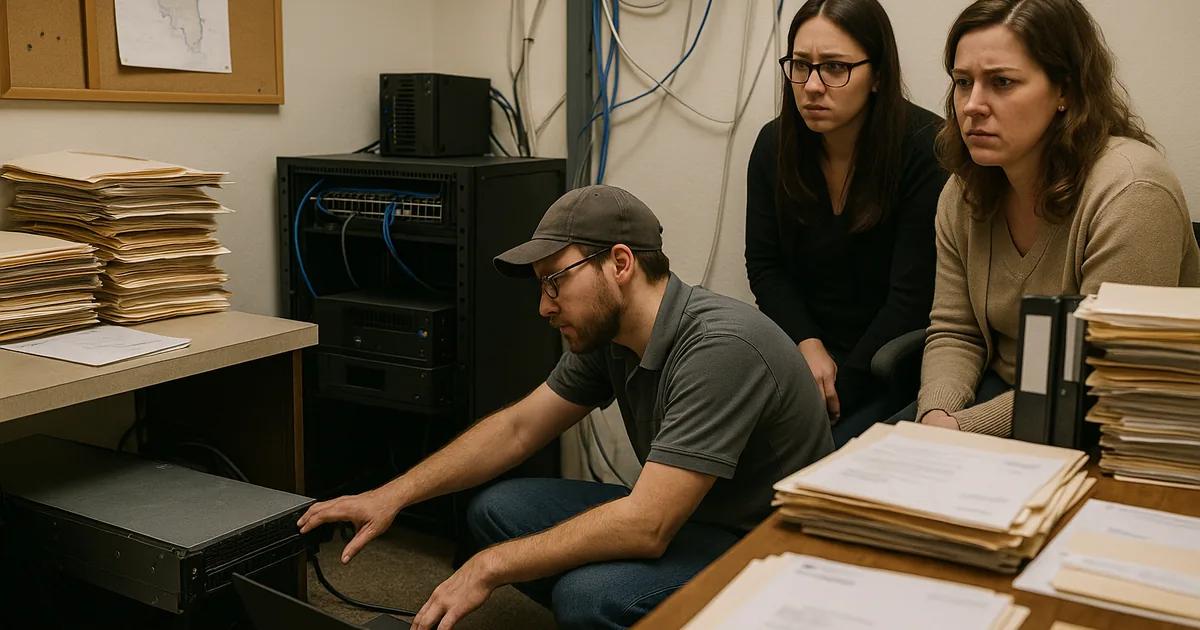
When systems go down in a South Meadows law firm, the immediate cause is often only the surface issue. We usually find a deeper stack problem: older servers, unsupported applications, fragmented storage, and security controls added over time without a clean architecture behind them. That is the innovation wall. The firm wants to use modern cloud workflows, AI-assisted document review, faster search, and secure remote access, but the underlying hardware and software were built for a 2019 operating model and cannot reliably support current demands.
For legal practices, this creates more than inconvenience. Case files, billing systems, document indexing, email retention, and trust-related records all depend on stable access and predictable performance. In South Meadows and across the Reno market, firms often operate from professional office spaces with mixed-age cabling, piecemeal Wi-Fi expansion, and line-of-business tools that were never fully redesigned for hybrid work. Businesses trying to reduce that risk typically need compliance and risk management in Northern Nevada so outages are evaluated not just as IT events, but as operational and record-handling failures.
The pattern is consistent: a legacy file server slows down, authentication drifts out of sync, backup jobs report success without clean recovery testing, and one failed update or storage fault takes down multiple workflows at once. That is why a single outage can affect intake, calendaring, billing, and attorney access at the same time. In cases like the one above, Alexa was dealing with the business consequence of a technical stack that had become too complicated to support and too old to modernize safely without a plan.
- Technical factor: Legacy hardware and tightly coupled applications create a single point of failure that blocks cloud adoption, slows recovery, and increases the chance that one outage will interrupt document access, billing, and compliance-sensitive legal workflows.
How to Modernize Without Creating More Downtime
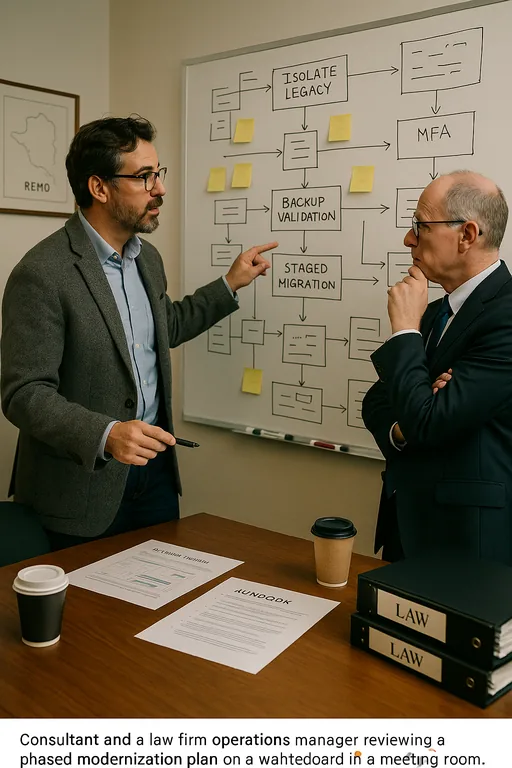
The right fix is not replacing everything at once. For most law firms, the practical path is staged modernization. We start by identifying which systems still need to remain on-premises, which workloads can move safely to Microsoft 365 or Azure-based services, and which legacy tools need isolation until they can be retired. That usually includes cleaning up identity management, reducing unnecessary server roles, validating backups with actual restore tests, and separating critical legal applications from general office traffic.
Firms also need better visibility into how cloud and local systems interact. That is where cloud and Microsoft environment management becomes important. Exchange, SharePoint, Teams, OneDrive, and line-of-business integrations need governance, retention alignment, and permission review so modernization does not create a new set of access failures. For practical guidance on reducing infrastructure and cyber risk during these transitions, the CISA guidance for small businesses is a useful baseline.
- Control step: Build a phased remediation plan that includes MFA hardening, backup validation, server role reduction, documented recovery priorities, and network segmentation so legal systems can be modernized without interrupting active case and billing operations.
Field Evidence: Stabilizing a Multi-System Legal Workflow
We recently worked through a similar pattern for a professional office environment in the Reno-Sparks corridor where attorneys and support staff were relying on an aging file server, an older practice management database, and inconsistent remote access policies. Before remediation, staff were seeing repeated lockups during document retrieval, slow login times on Monday mornings, and backup reports that looked healthy but had not been tested against a real restore scenario.
After consolidating storage, cleaning up identity dependencies, and putting the environment under infrastructure management for multi-location operations , the firm moved from recurring instability to a documented recovery model with clearer ownership and faster troubleshooting. That kind of improvement matters in Northern Nevada, where weather events, power fluctuations, and distance between offices can expose weak infrastructure design very quickly.
- Result: Unplanned file-access outages dropped from multiple incidents per quarter to zero over the following six months, and test restores reduced estimated recovery time from most of a business day to under 90 minutes.
Reference Table: Common Failure Points Behind Legal System Outages
Scott Morris is an experienced IT and cybersecurity professional with 16 years of hands-on experience in managed technology services. He specializes in Compliance And Risk Management and has spent his career building practical recovery, security, and operational continuity processes for businesses across South Meadows, Reno, Sparks, Carson City, Lake Tahoe, and Northern Nevada and Northern Nevada.

About the Author: Scott Morris
Local Support in South Meadows, Reno, Sparks, Carson City, Lake Tahoe, and Northern Nevada
Our Reno office regularly supports organizations across South Meadows and the broader Northern Nevada region. For firms balancing legacy systems, compliance pressure, and modernization planning, proximity matters because response time, vendor coordination, and on-site validation still play a role when critical systems fail. The route below reflects the local service reality between our office and a North Valleys destination, which is often similar to the travel pattern involved in urgent infrastructure work.
Modernization Has to Reduce Risk, Not Add Another Layer
When a law firm in South Meadows keeps experiencing systems-down events, the answer is rarely a single replacement part or one software patch. The real issue is usually architectural drift: too many aging dependencies, unclear recovery priorities, and tools that no longer fit the way legal work is actually performed. That is what creates the innovation wall and keeps firms from using modern cloud and AI capabilities safely.
The practical takeaway is straightforward. Simplify the stack, validate recovery, tighten identity controls, and modernize in phases that match business operations. Firms that do this well reduce downtime, improve staff confidence, and avoid turning every outage into a billing, records, and compliance problem.