
Reno Encryption Failures
This kind of issue rarely appears all at once. For manufacturing plants in Northern Nevada, it usually builds through phishing clicks, password reuse, and weak account hygiene and then surfaces as encrypted files, slower recovery, or higher exposure. A more reliable setup starts with tightening identity controls and building safer day-to-day habits.
This case study reflects real breakdown patterns documented across 300+ regional IT incidents. Names and identifying details have been modified for confidentiality, while technical and financial data remain accurate to the original events.

How Human Error Turns Into Encrypted Files
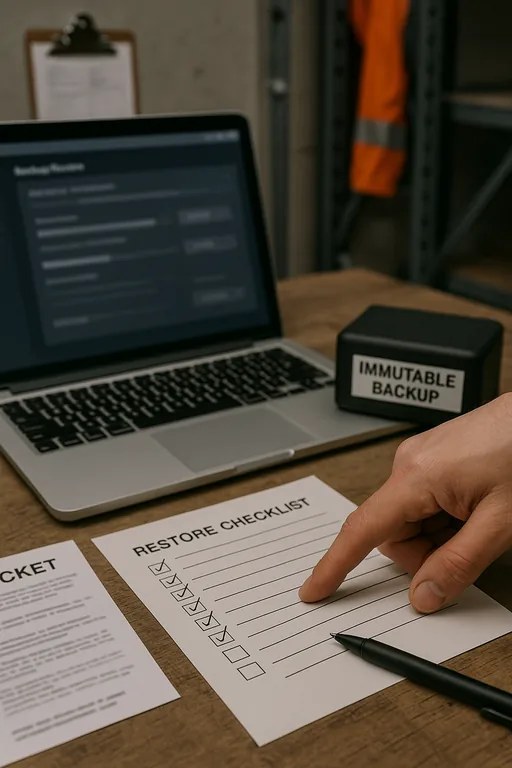
The main question here is straightforward: how do manufacturing plants in Northern Nevada end up with encrypted files when the problem starts with people, not hardware? In most cases, the failure begins with a phishing message, a reused password, or a user approving access they did not fully verify. Once that account is compromised, attackers move into file shares, cloud storage, remote access tools, or line-of-business systems that support production, purchasing, and shipping. What looks like a single bad click is usually an identity control problem that has been building for months.
We see this often in plants operating between Reno, Sparks, and the North Valleys, where teams rely on shared folders, ERP access, vendor portals, and remote connectivity across office and floor operations. If identity controls are weak, encryption spreads faster because permissions are too broad and monitoring is too shallow. That is why network server and cloud management in Northern Nevada has to include account governance, access review, and recovery planning, not just uptime monitoring. When Janice’s files became unavailable, the real failure was not the email alone. It was the combination of password reuse, excessive access, and delayed detection.
- Credential exposure: A single compromised user account can provide access to mapped drives, Microsoft 365 data, VPN sessions, and internal file shares if MFA, conditional access, and privilege boundaries are not enforced.
- Shared storage dependency: Manufacturing teams often depend on common folders for work orders, quality records, and shipping documents, so encryption of one file server can interrupt multiple departments at once.
- Flat permissions: When users have more access than their role requires, ransomware or malicious scripts can reach far beyond one workstation.
- Slow detection: Without alerting tied to unusual sign-ins, mass file changes, or impossible travel events, the first sign of trouble is often an employee reporting locked files.
Practical Remediation for Identity, Access, and Recovery
The fix is not a single product. It is a layered operating model that reduces the chance of a bad click becoming a plant-wide interruption. Start with phishing-resistant MFA where possible, remove password reuse through policy and password manager adoption, and review every shared folder and cloud repository for least-privilege access. For manufacturing environments, we also recommend separating office users, production systems, and backup infrastructure so one compromised account cannot move freely across the environment.
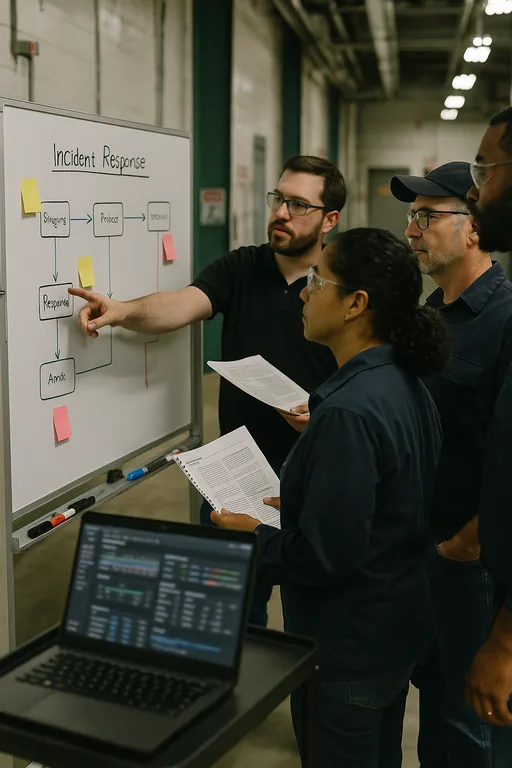
From there, the work becomes operational: validate backups, test restore times, harden remote access, and tune alerting for abnormal file activity and suspicious sign-ins. Businesses that need consistent oversight across users, servers, and cloud platforms usually benefit from managed IT support in Reno that includes endpoint monitoring, account lifecycle control, and documented incident response. For a practical baseline on phishing-resistant controls and identity protection, CISA’s guidance on strong passwords and multi-factor authentication is worth applying at the policy level.
- MFA hardening: Require MFA for email, VPN, cloud storage, admin accounts, and remote support tools, with stronger controls for privileged users.
- Access segmentation: Separate production resources, finance data, engineering files, and backup systems so one compromised account cannot reach everything.
- Backup validation: Keep immutable or isolated backups and test file-level and server-level restores on a schedule tied to business recovery targets.
- Security awareness with verification: Train users on fake reset links, invoice fraud, and attachment lures, then reinforce the training with reporting workflows and simulated exercises.
Field Evidence: Restoring Operations After a Credential-Based Encryption Event
In one Northern Nevada manufacturing environment, the initial state was familiar: broad shared-drive access, inconsistent MFA enrollment, and no clear separation between office file access and operational support systems. A phishing event led to account misuse after hours, and the next morning staff found active folders renamed, encrypted, or unavailable. The business was dealing with stalled document flow, delayed receiving, and manual workarounds while trying to keep production moving.
After containment, the recovery plan focused on isolating affected accounts, restoring clean data, reducing inherited permissions, and putting users on a tighter support path through IT help desk support for manufacturing teams . In practical terms, that meant faster ticket escalation, cleaner user offboarding and onboarding, and quicker verification when suspicious emails were reported. In a corridor where weather, shift changes, and supplier timing already create enough friction, reducing preventable account risk made a measurable difference.
- Result: File restore time dropped from most of a workday to under 90 minutes for priority shares, MFA coverage reached 100% for remote-access users, and unauthorized file-change alerts were visible within minutes instead of after production had already been affected.
Reference Controls for Manufacturing File Encryption Risk
Scott Morris is an experienced IT and cybersecurity professional with 16 years of hands-on experience in managed technology services. He specializes in Network Server And Cloud Management and has spent his career building practical recovery, security, and operational continuity processes for businesses across Reno, Sparks, Carson City, and Northern Nevada and Northern Nevada.

About the Author: Scott Morris
Local Support in Reno and Northern Nevada
Manufacturing businesses in Reno and the surrounding Northern Nevada service area often need fast response when file access, account security, or server availability starts affecting production. From our office on Ryland Street, the drive to Panther Valley is typically about 16 minutes under normal conditions, which matters when a plant is trying to contain an encryption event, verify backups, and restore access without extending downtime across shifts.
What Manufacturing Leaders Should Take Away
Encrypted files in a manufacturing plant are often the visible result of a quieter problem: weak user verification, reused passwords, broad access rights, and limited detection. In Northern Nevada, where production schedules, receiving windows, and vendor coordination already run on tight timing, that kind of identity failure can disrupt far more than one workstation.
The practical response is to tighten account controls, reduce unnecessary access, validate backups, and make incident response part of normal operations rather than an afterthought. When those controls are in place, phishing attempts are less likely to become file encryption events, and recovery becomes faster, cleaner, and less disruptive to the business.