
Reno Dental Risk
Seeing login failures is often the visible symptom of legacy tools, not the root problem itself. In dental offices across Reno, issues like legacy systems, patchwork fixes, and hard-to-adopt tools can quietly undermine network infrastructure management until work stops or risk spikes. The fix usually starts with simplifying the stack and making modernization practical.
This case study reflects real breakdown patterns documented across 300+ regional IT incidents. Names and identifying details have been modified for confidentiality, while technical and financial data remain accurate to the original events.
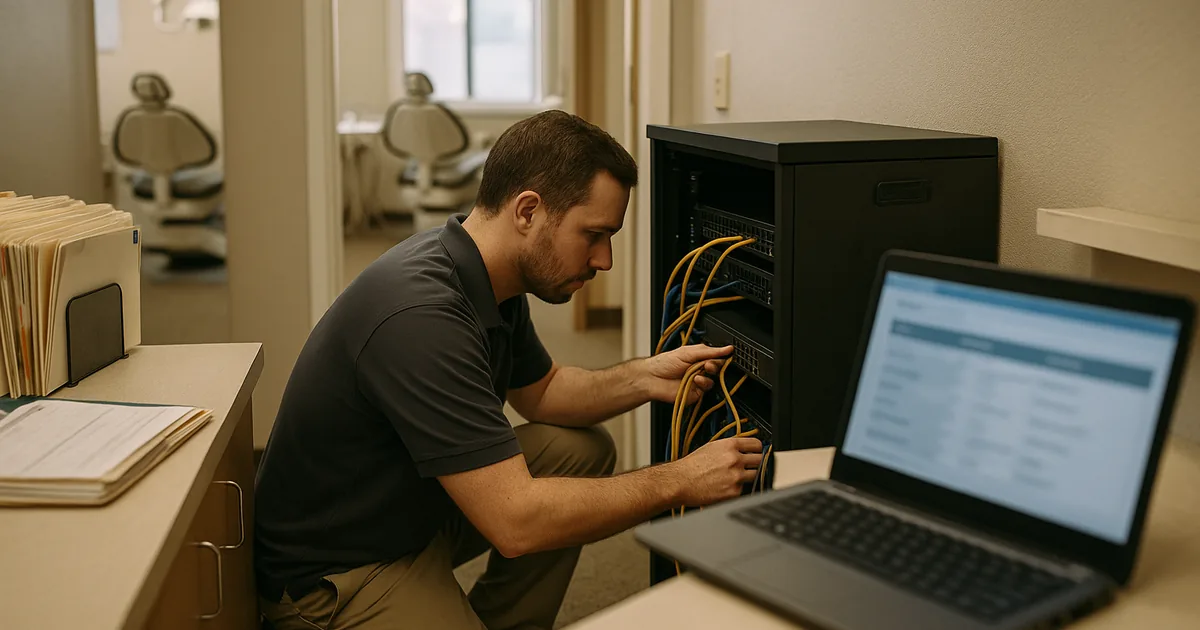
Why Login Failures Often Point to the Innovation Wall

When a Reno dental office starts seeing repeated login failures, the immediate assumption is usually passwords, user error, or a temporary internet issue. In practice, we often find a broader infrastructure problem. The Innovation Wall shows up when old hardware and legacy line-of-business systems are expected to support modern cloud apps, AI-assisted workflows, secure remote access, and larger imaging files without the underlying network being rebuilt to handle them.
That is why login trouble is often only the first visible symptom. Domain authentication may be timing out, old switches may be dropping traffic under load, wireless coverage may be inconsistent between operatories and front desk areas, and unsupported servers may struggle with current security requirements. In dental environments around Reno and Sparks, where scheduling, imaging, e-prescribing, and claims processing all depend on stable access, weak infrastructure quickly becomes an operational bottleneck. Businesses trying to prevent that pattern usually need structured network infrastructure management in Reno rather than another temporary workaround.
We see this especially in offices that added cloud tools over time without retiring older systems. A practice may still rely on a legacy workstation for imaging, an older firewall for internet access, and a patched-together authentication process for staff logins. That mix creates hidden points of failure. In the same way Marilyn’s office hit a wall during a busy morning, many practices do not realize their environment is stuck in a 2019 operating model until a login issue stops patient flow.
- Legacy authentication dependencies: Older servers, unsupported operating systems, and inconsistent DNS or Active Directory health can cause intermittent login failures that appear random to staff but are predictable from an infrastructure standpoint.
- Patchwork network design: Small unmanaged switches, aging wireless gear, and daisy-chained equipment often create latency and packet loss that disrupt cloud-based practice tools.
- Hard-to-adopt tools: When modern applications are layered onto outdated systems, staff workarounds increase, training gets harder, and the risk of downtime rises during normal patient volume.
How to Fix the Stack Without Disrupting the Practice
The right remediation is usually not a full rip-and-replace in one weekend. A better approach is to map the login path, identify every dependency, and remove the oldest points of failure in a controlled sequence. That means reviewing identity services, switch capacity, wireless coverage, firewall performance, internet failover, and the compatibility of dental software with current operating systems. For practices that need steadier execution across vendors and systems, this is where business IT operations management becomes useful because it ties technical changes to scheduling, billing, and patient intake realities.
We typically start by stabilizing authentication, segmenting critical systems, validating backups, and replacing unsupported infrastructure that cannot handle current workloads. If the office is moving more imaging, cloud storage, or AI-assisted documentation through the network, bandwidth and switching capacity need to be sized for that future state, not just current complaints. Multi-factor access, endpoint controls, and tested recovery procedures should also align with practical guidance from CISA , especially for healthcare-adjacent environments handling sensitive patient and billing data.
- Authentication cleanup: Remove stale domain dependencies, correct DNS and directory issues, and standardize login policies so access failures stop cascading across workstations.
- Network modernization: Replace unmanaged or overloaded switching, improve wireless design, and apply VLAN segmentation so imaging, guest traffic, and business systems do not compete unpredictably.
- Backup validation: Test restore points for servers, cloud data, and configuration backups so recovery is measured in hours, not guesswork.
- Operational support model: Use documented escalation, monitoring, and lifecycle planning to avoid recurring emergency fixes and support growth beyond the current hardware ceiling.
Field Evidence: From Intermittent Access Failures to Stable Daily Operations
We worked with a small healthcare office in the south Reno corridor that had recurring morning login delays, dropped sessions in treatment rooms, and inconsistent access to cloud-hosted records after adding newer software to an older network. The environment included mixed-age switches, weak wireless overlap, and no clear separation between clinical devices, office systems, and guest traffic.
After replacing the most constrained network hardware, correcting directory and DNS issues, and segmenting traffic by function, the office moved from repeated access complaints to predictable daily performance. Staff could log in consistently at shift start, front-desk check-in times improved, and the practice had a clearer path for future software adoption. To keep those gains from slipping, the office also moved to support for growing Reno businesses with ongoing monitoring and lifecycle planning.
- Result: Morning login delays were eliminated, wireless stability improved across treatment areas, and the office reduced recurring IT interruptions over the following quarter while supporting higher cloud application usage.
Quick Reference: Systems That Commonly Drive Login Risk in Dental Offices
Scott Morris is an experienced IT and cybersecurity professional with 16 years of hands-on experience in managed technology services. He specializes in Network Infrastructure Management and has spent his career building practical recovery, security, and operational continuity processes for businesses across Reno, Sparks, Carson City, Lake Tahoe, and Northern Nevada and Northern Nevada.
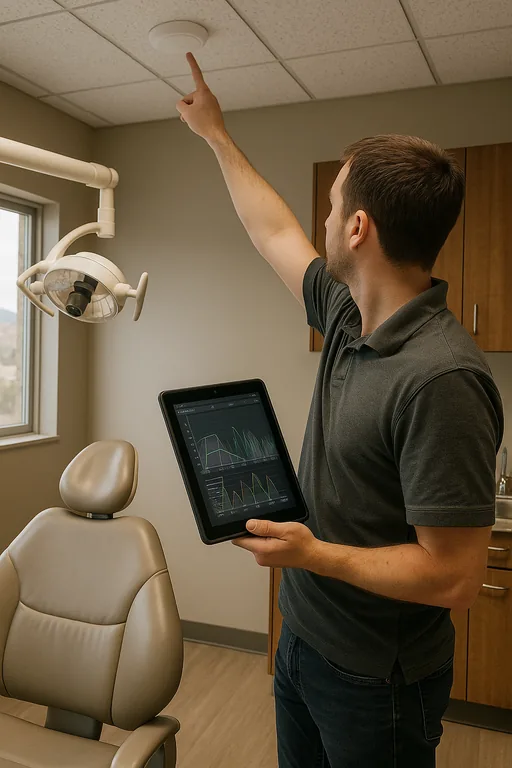

About the Author: Scott Morris
Local Support in Reno and Northern Nevada
Dental offices in Reno often need support that accounts for real operating conditions: older tenant improvements, mixed carrier availability, expanding cloud software demands, and the need to keep patient flow moving during business hours. From our office on Ryland Street, the Virginia Foothills area is typically about 21 minutes away, which makes it a practical service route for on-site infrastructure work, login failure response, and planned modernization projects.
Modernization Has to Remove Friction, Not Add More of It
For dental offices in Reno, login failures are rarely just a password problem. They usually indicate that the network, identity systems, and supporting hardware are no longer aligned with the way the practice actually works. When legacy systems, patchwork fixes, and newer cloud demands collide, the result is lost time at the front desk, delayed treatment flow, and preventable operational risk.
The practical answer is to simplify the environment, retire unsupported dependencies, and build infrastructure around current workflows instead of old assumptions. That gives the practice a stable base for scheduling, imaging, billing, and future technology adoption without repeatedly running into the same innovation wall.