
Reno Dental Remediation
Problems like this tend to stay hidden until something important breaks. For dental offices in South Meadows, that often means login failures, avoidable delays, or a bigger recovery burden than expected. The best response is standardizing how new users, devices, and systems are brought online.
This case study reflects real breakdown patterns documented across 300+ regional IT incidents. Names and identifying details have been modified for confidentiality, while technical and financial data remain accurate to the original events.
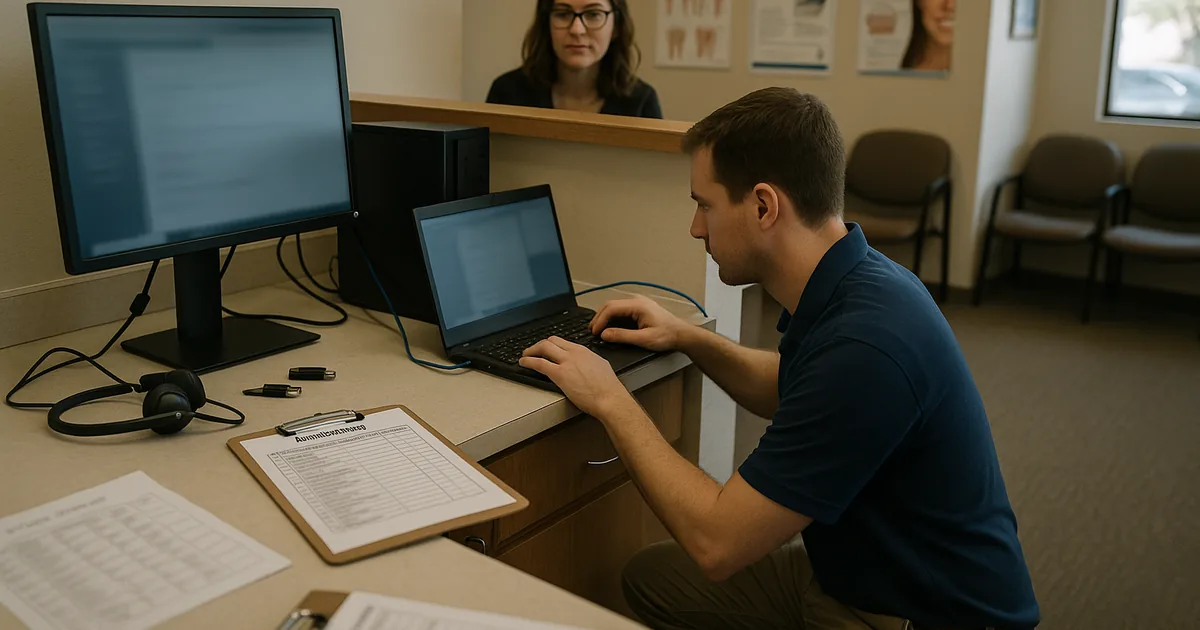
Why Login Failures Show Up When a Practice Hits a Growth Ceiling
When a dental office in South Meadows starts adding providers, front-desk staff, operatories, imaging devices, and cloud applications faster than its IT process can absorb them, login failures are often the first visible symptom. The immediate complaint sounds simple: a user cannot sign in, an application rejects credentials, or a workstation does not inherit the right permissions. The real issue is usually that the office has outgrown informal onboarding. Accounts are being created manually, devices are joined inconsistently, security groups are not standardized, and line-of-business access is being granted one exception at a time.
We see this most often in practices that have grown from a small office into a busier multi-role environment without redesigning identity management. A dental practice may add hygienists, billing staff, temporary coverage, outsourced support, and new imaging or practice management tools, but still rely on old naming conventions, shared credentials, or undocumented setup steps. That is where the scalability ceiling appears. If the office wants to stay stable while adding headcount, it needs structured regulatory compliance support in Northern Nevada that aligns user access, auditability, and onboarding controls with actual clinical operations. In cases like Nicolas’s, the login problem is not the root cause; it is the warning light that the environment no longer scales safely.
- Identity sprawl: New users, replacement devices, and application permissions are added without a repeatable provisioning standard, creating mismatched access and failed authentication.
- Shared workflow dependency: Front desk, billing, imaging, and treatment coordination all depend on timely sign-in, so one access issue can delay the entire morning schedule.
- Compliance exposure: Dental offices handling patient data need role-based access, logging, and controlled onboarding to reduce avoidable HIPAA and records-management risk.
- Infrastructure lag: Older domain policies, local profiles, and inconsistent workstation builds often fail once the office adds enough users and systems to stress them.
How to Remediate the Problem Without Recreating It Next Quarter
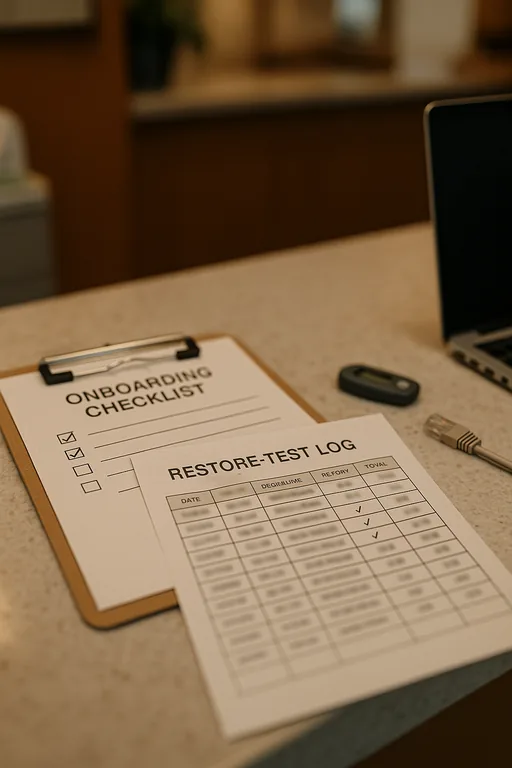
The fix is not just resetting passwords or rejoining a few machines to the domain. The practical remediation is to standardize the entire onboarding path: account creation, group assignment, device enrollment, application entitlement, MFA enforcement, and validation before the employee starts seeing patients or handling billing. For South Meadows dental offices, that means documenting role templates for front desk, clinical staff, billing, management, and vendors, then tying those templates to a controlled provisioning checklist.
We typically pair that work with a broader technology advisory and assessment for growing Reno businesses so the office can identify where identity, network, and application dependencies are already stretched. That review should include directory health, workstation deployment standards, backup validation for profile and configuration data, and access reviews against current job roles. For a practical baseline, the CISA guidance on strong authentication and access hygiene is useful, but the operational value comes from applying those controls consistently inside the practice.
- Role-based provisioning: Build standard access groups for clinical, billing, scheduling, and management users so permissions are assigned by role instead of by memory.
- MFA hardening: Require multifactor authentication for email, remote access, and cloud applications that contain patient or financial data.
- Device enrollment standards: Join all workstations through the same process, apply the same security baseline, and eliminate one-off local admin setups.
- Application mapping validation: Test practice management, imaging, and document workflows on every new user profile before go-live.
- Backup and recovery checks: Validate that user profiles, configuration data, and critical system states can be restored without rebuilding the office from scratch.
Field Evidence: Stabilizing Access Before a South Reno Expansion
In one Northern Nevada engagement, a healthcare-adjacent office corridor in the South Reno area had reached the point where every new hire created another exception in Active Directory, workstation setup, and application access. Before remediation, onboarding took hours of manual work, login tickets appeared almost weekly, and staff often discovered missing permissions only after patients or customers were already waiting. The office also had inconsistent internet failover behavior between providers in the area, which made troubleshooting harder because authentication issues were being confused with connectivity problems.
After standardizing user templates, cleaning up stale groups, documenting workstation builds, and aligning growth planning with IT systems for multi-location operations , the office moved from reactive account fixes to a repeatable process. Nicolas’s type of disruption becomes much less likely when hiring plans and access controls are reviewed together instead of separately.
- Result: New-user setup time dropped from roughly 2 hours to 25 minutes, repeat login-related tickets fell by more than 60 percent over the next quarter, and first-day access failures were largely eliminated.
Reference Guide: Systems That Commonly Break at the Scalability Ceiling
Scott Morris is an experienced IT and cybersecurity professional with 16 years of hands-on experience in managed technology services. He specializes in Regulatory Compliance Support and has spent his career building practical recovery, security, and operational continuity processes for businesses across South Meadows, Reno, Sparks, Carson City, and Northern Nevada and Northern Nevada.


About the Author: Scott Morris
Local Support in South Meadows, Reno, Sparks, Carson City, and Northern Nevada
Our team supports businesses across Reno and the surrounding Northern Nevada service area, including South Meadows where growing dental and healthcare offices often need faster remediation for access, compliance, and onboarding issues. From our Reno office, the route to the Prototype Manufacturing Cluster area is typically about 12 minutes, which matters when a login failure is affecting schedules, billing flow, or staff productivity.
Standardized Onboarding Is the Real Login Remediation
For dental offices in South Meadows, recurring login failures usually mean growth has moved ahead of process. The office may still be functioning, but each new hire, workstation, or application adds another point of inconsistency. That is why the right remediation is not a one-time credential reset. It is a controlled onboarding model that scales with staffing, patient volume, and compliance requirements.
When identity, device setup, and application access are standardized, the office reduces downtime, shortens first-day setup, and lowers the chance that a routine staffing change turns into a billing or scheduling disruption. That is the practical way to remove the scalability ceiling before it affects patient flow and recovery effort.