
Managed IT Support Plans
Managed IT support plans define who maintains your systems, how issues are prevented, and what happens when something breaks. A sound plan gives business leaders clearer accountability, steadier operations, and fewer surprises than ad hoc IT support.
Abel S. learned the cost of a weak managed IT support plan during quarter close: storage alerts on the office server had gone unanswered for weeks, the accounting database stopped opening at 9:12 a.m., and downtime, emergency labor, and missed billing totaled $50,500.
The following scenario is based on a redacted real-world business IT incident pattern. Identifying details have been changed for privacy, but the disruption sequence and cost impact remain realistic.

About the Author: Scott Morris
Scott Morris is an experienced IT and cybersecurity professional with 16 years of hands-on experience in managed technology services. He specializes in Managed IT Support Plans and has spent his career building practical recovery, security, and operational continuity processes for businesses across Nevada.
Managed IT and cybersecurity advisor Scott Morris helps businesses manage infrastructure, reduce cyber risk, stabilize support operations, and recover from outages that disrupt daily work. Scott Morris has 16+ years of managed IT and cybersecurity experience. His work is grounded in practical risk reduction, business continuity, secure infrastructure management, recovery readiness, and operational resilience, including support for Reno and Sparks business technology environments where stable systems, clear ownership, and accountable support plans matter.
This article explains common operational patterns and evaluation criteria rather than prescribing one fixed service model. This is general technical information; specific network environments and compliance obligations change strategy.
A managed IT support plan is not just a contract for fixing laptops. It is an operating agreement that defines coverage, asset ownership, monitoring, patching, escalation, vendor coordination, and reporting. Mature managed IT services treat the plan as a control system for uptime and accountability, not a bucket of vague support hours.
What usually separates a stable environment from a fragile one is whether the plan assigns responsibility before something fails. A competent plan should state which systems are in scope, what response windows apply, how after-hours issues are handled, and how the IT support and help desk function ties into monitoring, user onboarding, patch cycles, and vendor support for critical applications.
Support plans also shape security and compliance exposure. In practice, the issue is rarely the tool alone; it is the process around it. If the business handles client data, financial records, or protected health information, the plan needs documented access control, recovery procedures, and review cadence that can support obligations such as HIPAA security requirements where they apply.
What is included in a managed IT support plan?
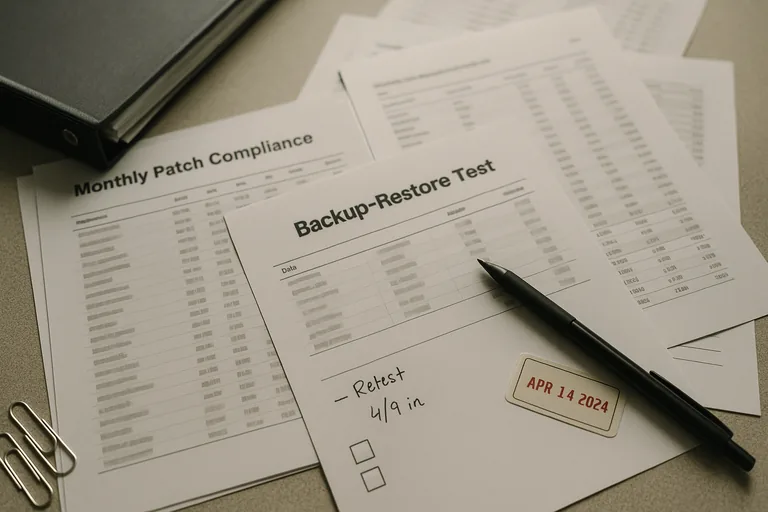
A sound plan usually includes asset inventory, user support, monitoring, patch management, endpoint security oversight, account administration, vendor coordination, documentation, and defined escalation paths. The operational risk is ambiguity: when nobody clearly owns server maintenance, cloud administration, or line-of-business software support, small problems sit untouched until they become outages. A common failure point is assuming “support” means preventive maintenance is happening when the agreement only covers reactive ticket work.
Why does a support plan matter beyond help desk response?
Help desk response addresses symptoms, but support plans determine whether the environment is being kept stable between tickets. In mature environments, the plan reduces configuration drift, catches aging hardware before failure, keeps patching on schedule, and makes sure user changes do not quietly expand risk. Business leaders feel this less as technical elegance and more as fewer stalled workdays, fewer emergency invoices, and less dependence on whichever employee happens to remember how something was set up.
Which risks can a strong managed IT support plan reduce?
Strong plans can help reduce downtime, identity misuse, patch exposure, unsupported software risk, and vendor handoff failures. One of the first things experienced IT teams check is whether alerts, access rights, and maintenance tasks all have a named owner; when they do not, orphaned accounts remain active, warning emails go unread, and critical systems fall outside patch policy without anyone noticing. The business consequence is not only technical weakness but delayed billing, missed deadlines, audit trouble, and higher recovery cost when a preventable issue finally surfaces.
How does a managed IT support plan work in daily operations?
In practice, the day-to-day work is procedural: systems report health into monitoring dashboards, alerts are triaged against documented severity levels, maintenance windows are used for patching and reboots, failed jobs are investigated, user changes are logged, and exceptions are tracked until resolved. During a routine review, repeated low-disk alerts on a remote desktop host showed that update cleanup had failed for months; investigation found the server had been excluded from normal maintenance and no one owned escalation for recurring warnings. The fix was not just freeing disk space; it was adding scope validation, threshold ownership, and documented follow-up so the same blind spot would not return.

What evidence shows a support plan is being executed properly?
When does weak implementation become dangerous?
What should a business evaluate before approving or renewing a plan?
If the thought of discovering ownership gaps at 9:12 a.m. on a critical workday feels uncomfortably familiar, it is worth reviewing whether your current support plan truly covers the systems and responsibilities your business depends on. If help is needed interpreting plan coverage, operational evidence, or hidden gaps before they become another $50,500 lesson, speaking with an experienced advisor is a practical next step.