
IT Planning & Budgeting
IT planning and budgeting turns technology from a reactive expense into a managed operating function by linking replacement cycles, security controls, support needs, and recovery priorities to business goals, cash flow, and acceptable risk.
During month-end billing, Alaina S. found that a virtualization host deferred out of the budget twice was running on expired support with a nearly full storage array. When the array failed, 19 employees lost access to the line-of-business system for a full day, and emergency replacement, recovery labor, and overtime costs reached $57,250.
The following scenario is based on a redacted real-world business IT incident pattern. Identifying details have been changed for privacy, but the disruption sequence and cost impact remain realistic.

About the Author: Scott Morris
Scott Morris is an experienced IT and cybersecurity professional with 16 years of hands-on experience in managed technology services. He specializes in IT Planning & Budgeting and has spent his career building practical recovery, security, and operational continuity processes for businesses across Nevada.
Scott Morris is a managed IT and cybersecurity professional who helps businesses manage, secure, maintain, and recover the systems that support daily operations. Scott Morris has 16+ years of managed IT and cybersecurity experience. That background is directly relevant to IT Planning & Budgeting because stable budgets are built from asset lifecycles, software dependencies, security exposure, recovery requirements, and the documented cost of downtime rather than guesswork. His work is grounded in practical risk reduction, business continuity, secure infrastructure management, recovery readiness, and operational resilience for business technology environments, including Reno and Sparks organizations that need reliable, accountable infrastructure.
Planning priorities vary by industry, staffing model, vendor dependence, and contractual requirements. This is general technical information; specific network environments and compliance obligations change strategy.
IT Planning & Budgeting is the process of deciding what technology the business must run, what it must protect, what it can delay, and what must be funded before failure or growth forces the issue. In practice, mature organizations treat this as an operating discipline tied to asset inventory, renewal dates, cyber risk, backup and recovery readiness, and business projects, often through structured IT consulting and vCIO planning rather than an annual spreadsheet exercise.
- Run costs: Recurring support, licensing, internet, cloud services, monitoring, security tooling, and vendor maintenance that keep operations stable.
- Lifecycle costs: Workstation, server, firewall, wireless, and storage replacement based on age, warranty status, performance, and supportability.
- Risk costs: Controls such as endpoint protection, multifactor authentication, backup retention, log monitoring, and recovery testing that reduce security and continuity exposure.
- Change costs: New locations, staffing changes, line-of-business software upgrades, compliance requirements, and infrastructure changes required to support growth.
What usually separates a stable environment from a fragile one is ownership. Budgeting breaks down when nobody connects finance, operations, and technology decisions into one roadmap. A common issue is copying last year’s spend without reviewing which systems are unsupported, which licenses no longer match headcount, or which business changes will strain capacity. This is where disciplined strategic IT leadership matters: someone must translate technical debt and operational risk into business timing, budget priority, and documented decision-making.
What does a real IT budget actually cover?
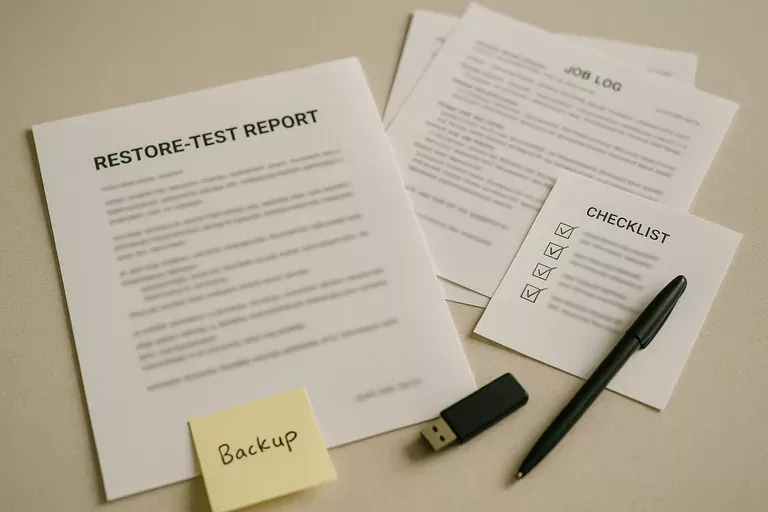
A real IT budget covers far more than monthly support and occasional hardware purchases. It should account for the full lifecycle of the environment: devices approaching end of warranty, servers and network equipment nearing capacity, licensing that changes with staffing, cybersecurity controls that require ongoing management, vendor contracts, internet redundancy, backup retention, and the cost of testing recovery before an emergency. In mature environments, the budget also tracks dependencies between projects. If a new ERP system needs faster storage, better identity controls, or upgraded remote access, those prerequisites belong in the plan. A common failure point is treating technology as isolated purchases instead of an interconnected operating system for the business. That usually leads to rushed spending, emergency downtime, and security gaps that are far more expensive than planned replacement.
Why does poor IT budgeting create operational risk instead of just overspending?
The operational risk comes from delay, not just dollars. When refresh cycles are deferred without documenting the consequence, systems age into unsupported states, warranties expire, storage fills gradually, and performance complaints get normalized until a failure exposes how little margin existed. In practice, the issue is rarely the tool alone; it is the process around it. A business may own backup software, endpoint protection, and a firewall, but if budget planning never funds monitoring, alert response, renewals, or testing, those controls become superficial. Another common failure mode is buying security products while underfunding the labor needed to maintain them. Alerts accumulate, policy exceptions are never reviewed, and leadership assumes protection exists because the line item exists. What the business actually has is unverified tooling and rising exposure to downtime, fraud, data loss, or recovery delays.
How should IT planning and budgeting work in practice?
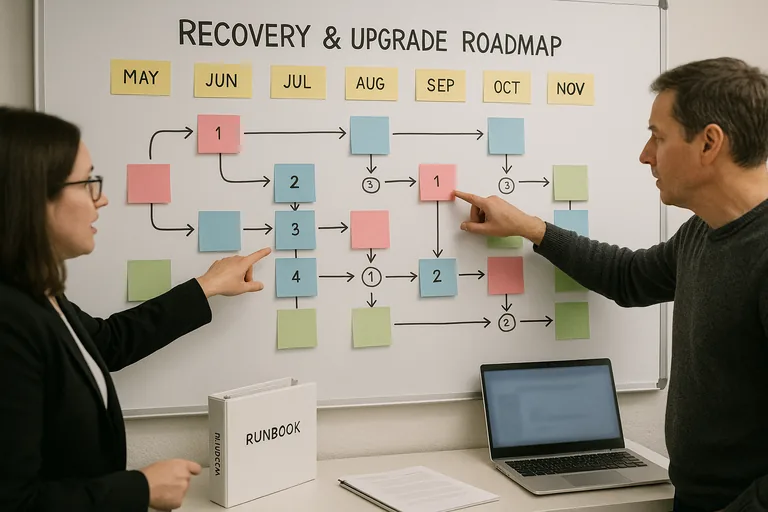
Competent planning usually runs on a quarterly cadence, not once a year. The team reviews the current asset inventory, warranty dates, software renewals, support contracts, security findings, storage growth, ticket trends, and upcoming business changes, then adjusts a 12- to 24-month roadmap. Capital expenses and operating expenses are separated, but linked to business impact so leadership can see what is mandatory, what is risk reduction, and what supports expansion. During one routine infrastructure review, recurring disk latency alerts on an aging virtual host triggered a closer look. The investigation showed that an upcoming application upgrade would exceed the storage performance available, and the real problem was not the application project but a server and storage refresh that had never been budgeted. Mature teams catch that early, sequence infrastructure upgrades before the software change window, and document the reason so finance is not surprised later.
What evidence shows the plan is tied to real risk reduction?
A mature environment produces evidence, not reassurance. Leadership should be able to see a current asset register, lifecycle schedule, renewal calendar, patch compliance reports, backup retention records, restore test results, security exception logs, and documented project priorities with ownership and target dates. Guidance from the Cybersecurity and Infrastructure Security Agency (CISA) matters here because recovery spending is only credible if backups are protected from deletion or encryption and can actually be restored within the business’s required time frame. A common failure point is a budget that includes backup software but no record of restore testing, or a security budget that funds multifactor authentication but provides no coverage report showing which accounts are enforced and which are exempt. If the evidence does not exist, the control may exist only on paper.
How can leadership tell whether implementation is competent?
- Ownership: Someone should update the roadmap on a defined cadence, document deferred items, and explain the business consequence of delay.
- Evidence: A competent team can show asset inventory accuracy, warranty and renewal dates, patch status, backup test records, and recent change history without assembling it from memory.
- Business alignment: Hiring plans, office moves, software projects, and security requirements should appear in the budget before they create emergency work.
- Exception handling: When leadership chooses to postpone a refresh or control, the risk, deadline, and fallback plan should be recorded rather than left as an informal assumption.
When does weak IT planning become dangerous?
Weak planning becomes dangerous when the environment looks stable only because nothing major has broken yet. In environments that have not been reviewed recently, access rights often accumulate after staff changes, cloud subscriptions continue long after use declines, critical vendor contacts are missing, and line-of-business applications sit on old platforms because nobody wants to fund the prerequisite upgrade. This tends to break down during audits, outages, or growth. During incident response and outage work, it is common to discover that documentation is outdated, support contracts lapsed, recovery assumptions were never tested, and replacement lead times are longer than expected. For regulated offices, the exposure is larger because budgeting decisions affect whether required safeguards can be maintained; for medical practices, that planning intersects directly with HIPAA security requirements and the availability of systems that handle protected information.
What should happen next?
The next step is not to approve every pending purchase. It is to build a decision-quality roadmap. Start with a verified inventory, identify the systems that stop revenue or operations when unavailable, map their dependencies, review renewals and support end dates, and separate mandatory spending from strategic improvements. Then set a documented review cadence so deferred items are revisited before they become emergency expenses. A competent provider should be able to explain which costs reduce downtime, which costs reduce security exposure, which projects support growth, and what evidence will prove those controls are functioning over time.