How can industry-specific workflows affect IT support planning?
Industry-specific workflows determine which systems must stay available, who needs access, when changes can occur, and how fast support must respond. Good IT planning aligns support coverage, security controls, and recovery priorities with how the business actually operates.
At 8:12 a.m., Athena Q. was dealing with a specialty clinic whose overnight database restart collided with its physician sign-off workflow, freezing scheduling, imaging handoffs, and chart completion for three hours and leaving a documented $76,800 loss in billable time, overtime, and rescheduling.
This opening scenario is derived from real operational incidents observed in managed IT environments. Names and identifying details have been modified for confidentiality.


About the Author: Scott Morris
Scott Morris is an experienced IT and cybersecurity professional with 16 years of hands-on experience in managed technology services. He specializes in How can industry-specific workflows affect IT support planning? and has spent his career building practical recovery, security, and operational continuity processes for businesses across Nevada.
Scott Morris is a managed IT and cybersecurity professional who helps businesses secure infrastructure, maintain stable systems, recover from failures, and plan technology around real operating demands. Scott Morris has 16+ years of managed IT and cybersecurity experience. That background is directly relevant to workflow-based support planning because reliable IT operations depend on understanding where uptime, access control, recovery readiness, and compliance pressures intersect in live business environments, including Reno and Sparks organizations that need practical risk reduction, stable infrastructure, and resilient recovery processes.
This article explains common planning considerations and failure patterns seen in business technology environments. This is general technical information; specific network environments and compliance obligations change strategy.
Industry-specific workflow means the real sequence of people, systems, devices, approvals, and timing that keeps revenue moving in a specific business. A warehouse may depend on handheld scanners, label printers, and carrier integrations at fixed cutoff times; a medical office may depend on EHR access, imaging stations, and secure intake; a legal practice may depend on document management and deadline-driven filing. When managed IT services are planned without those workflow dependencies, every device can end up treated as equally important even though the business impact is not equal.
In practice, support planning changes by industry because the operational consequence of failure changes. If a back-office workstation in a low-volume administrative role goes down, the disruption may stay local; if a system tied to patient intake, production tracking, or payment processing fails, the interruption can stop an entire chain of work. That is why decision-makers in specialized environments should look beyond generic service descriptions and review workflow risks similar to those discussed in healthcare IT operational challenges.
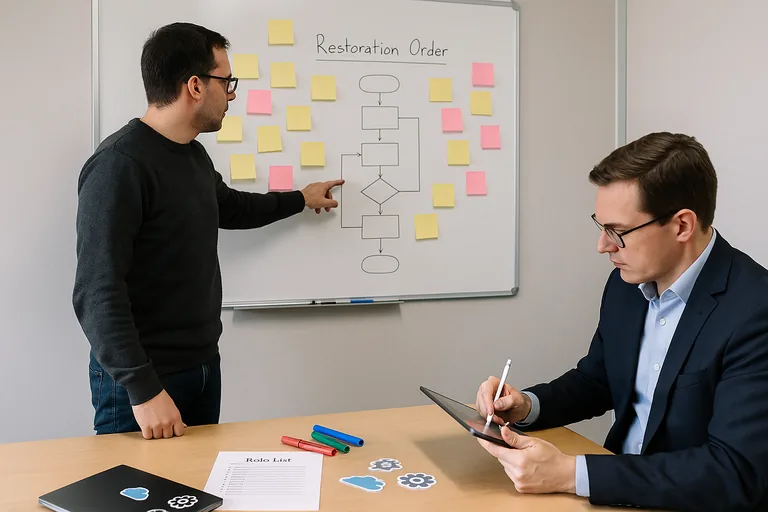
What usually separates a stable environment from a fragile one is whether support planning is built around workflow tiers rather than just hardware inventories. Mature teams map critical applications, user roles, change windows, vendor dependencies, and restoration order, then align monitoring, escalation, and after-hours coverage to those realities. Businesses comparing providers should expect that level of operational discipline from a managed IT support approach, not just ticket handling and patching.
What does workflow-specific IT support planning actually include?
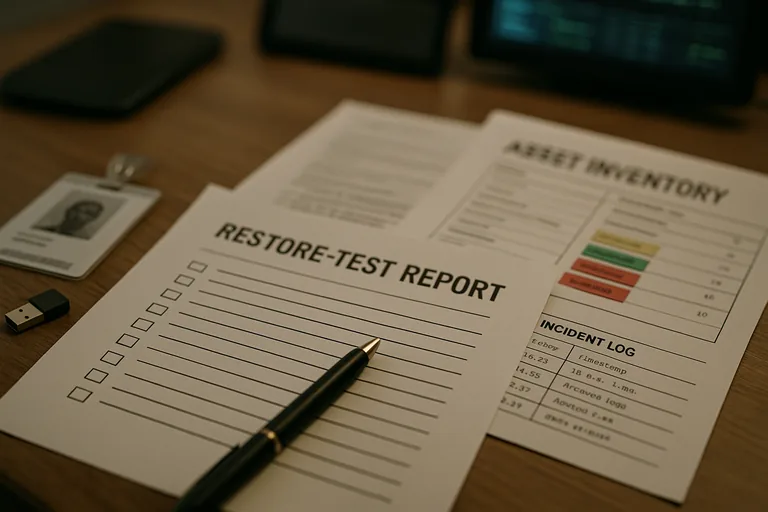
Workflow-specific support planning includes more than device counts and license lists. It defines which applications and devices support revenue or regulated activity, which user roles need immediate recovery, when maintenance can occur without interrupting production, which third-party vendors own integrated systems, and what manual fallback process exists if a line-of-business application is unavailable. A common failure point is assuming a standard 9-to-5 support model fits a business whose real pressure points happen during early intake, end-of-shift fulfillment, month-end close, or provider sign-off windows.
Why do different industries need different support priorities?
Different industries carry different exposure when systems fail, so support priorities cannot be cloned from one environment to another. In healthcare, the HHS HIPAA Security Rule exists to protect the confidentiality, integrity, and availability of protected health information, which in practical terms means support plans must account for secure exam-room access, audit trails, downtime procedures, and controlled vendor access. In merchant environments, PCI DSS Official Standards matter because payment systems require tighter control over card-processing devices, segmentation, and change access, so a front-counter payment terminal cannot be supported on the same assumptions as an ordinary office PC.
How does workflow-aware support planning work in practice?
In mature environments, the process starts with workflow mapping and then turns that map into support tiers, monitoring rules, change windows, device policies, vendor escalation paths, and restoration order. One of the first things experienced IT teams check is whether device groups, patch schedules, and ownership boundaries match the actual way work moves through the business. During a ticket trend review in a distribution environment, repeated late-afternoon wireless scanner dropouts initially looked like a network issue, but the underlying problem was a policy update pushing aggressive power settings to handheld devices during the shipping cutoff window; separating warehouse devices into their own maintenance and policy group removed a recurring fulfillment bottleneck.
What evidence shows the plan is being executed competently?
Real implementation leaves evidence, and competent organizations verify that evidence on a schedule. A mature environment should produce a current asset inventory tagged by workflow or department, dependency notes showing which systems rely on which applications or vendors, patch compliance reports by device role, alert escalation logs showing response timing and ownership, access review records tied to hiring and termination events, and documented restore or failover test results proving the order in which systems come back online. In practice, the issue is rarely the tool alone; it is the process around it. Without those records, businesses often assume monitoring, recovery, and access control are aligned to operations when the environment is really being managed by habit.
What questions should a business leader ask an IT provider or internal team?
Business leaders should ask questions that expose whether the environment is managed by business priority or by convenience: Which workflows have been identified as critical; what is the documented recovery order if several systems fail at once; which devices or applications are excluded from standard patch windows and why; how are temporary, seasonal, or contractor accounts reviewed and removed; what alerts trigger after-hours response; and what reporting proves that monitoring, change control, and access reviews are actually happening. A competent provider should be able to explain these answers in plain business language, with documentation and review cadence behind them.
When does weak workflow alignment become dangerous?
This tends to break down when the support plan exists only as an asset spreadsheet or a service contract response time. A common failure point is flat policy deployment across dissimilar departments: the same reboot schedule for front-desk terminals and production stations, the same permission model for permanent staff and short-term workers, or the same alert threshold for a convenience printer and a system that blocks revenue if it stalls. During incident response, it is common to discover that documentation names a priority system, but the monitoring thresholds, on-call ownership, vendor contact path, and fallback instructions were never aligned to that priority.