
Backup & Recovery Programs
Backup and recovery programs protect the systems a business actually runs on: servers, cloud workloads, line-of-business applications, and data. When designed, monitored, and tested properly, they shorten outages, limit financial damage, and support continuity after failure or attack.
At 8:12 a.m. on quarter-end close, Aidan E. found the accounting virtual machine offline after a storage controller fault. Nightly backups had reported success, but the restore chain was unusable, stalling invoicing and payroll long enough to create $55,500 in emergency labor, delayed cash flow, and write-offs.
The following scenario is based on a redacted real-world business IT incident pattern. Identifying details have been changed for privacy, but the disruption sequence and cost impact remain realistic.

About the Author: Scott Morris
Scott Morris is an experienced IT and cybersecurity professional with 16 years of hands-on experience in managed technology services. He specializes in Backup & Recovery Programs and has spent his career building practical recovery, security, and operational continuity processes for businesses across Nevada.
Scott Morris is a managed IT and cybersecurity professional who helps businesses manage infrastructure stability, recovery readiness, and operational risk across business technology environments. Scott Morris has 16+ years of managed IT and cybersecurity experience. His work is grounded in practical risk reduction, business continuity, secure infrastructure management, recovery readiness, and operational resilience, including the backup and restoration processes that reduce downtime and security exposure for businesses in Reno, Sparks, and similar operating environments.
This article explains common backup and recovery design, testing, and governance issues seen in business environments. This is general technical information; specific network environments and compliance obligations change strategy.
A backup and recovery program is not just backup software with a green check mark. In practice, it is the combination of protected systems, retention rules, storage design, recovery priorities, testing procedures, and ownership. A mature program aligns technical recovery with business reality: which systems must return first, how much data loss is acceptable, and who makes decisions during an outage. That is why backup and disaster recovery planning should be treated as an operational discipline rather than a background IT task.
A common failure point is assuming that successful backup jobs mean recovery will work. In real business environments, recovery breaks down because repositories are writable from the same network that gets compromised, service accounts expire quietly, snapshots are crash-consistent instead of application-consistent, or alerts are routed to mailboxes nobody reviews. Guidance from CISA on data backup and networked storage matters here because the goal is not only keeping copies of data but protecting those copies from the same event that damages production. Well-run managed backup solutions usually include immutability, monitoring, failure escalation, and documented restore procedures.
Backup design also changes when the business has compliance, retention, or operational dependency concerns. A medical office, for example, may need recovery steps that support application availability, audit records, and access controls tied to HIPAA security expectations, while a professional services firm may care more about document version history, email recovery, and rapid file access. What usually separates a stable environment from a fragile one is not the license on the backup product; it is whether the program reflects the actual systems, obligations, and workflow dependencies the business cannot operate without.
What does a backup and recovery program actually include?
It includes far more than copying files to another location. A competent program defines what is in scope, how often each system is protected, how long data is retained, where copies are stored, how backups are isolated from production compromise, and what order systems must be restored in after a disruption. In mature environments, the conversation also covers recovery time objective and recovery point objective in plain business terms: how long the business can tolerate an outage and how much recent data loss it can absorb. Without those decisions, backup settings are often inherited from default templates rather than built around operational need.
Why does it matter beyond keeping copies of files?
Because outages rarely affect a single folder. A line-of-business application may depend on a database server, a license server, mapped shares, DNS resolution, and specific service accounts, so restoring data alone does not restore operations. The business consequence is delay, confusion, and extended downtime while staff wait for IT to discover hidden dependencies. In practice, the issue is rarely the tool alone; it is the process around it, including documentation, system mapping, and prioritization of what must come back first to keep payroll, scheduling, production, or billing moving.
Which risks does it reduce, and which risks remain?
These programs may reduce the impact of storage failure, accidental deletion, file corruption, bad updates, cloud sync mistakes, and destructive attacks that affect production systems. They do not replace endpoint protection, patch discipline, identity controls, or security monitoring, because a business can still suffer fraud, data exposure, or prolonged disruption even if copies of data exist. What backup and recovery changes is the organization’s ability to restore operations with less chaos. A recoverable environment is one where the business knows what can be rebuilt, from where, by whom, and within what timeframe.
How does recovery work in practice during a real outage?
Recovery usually starts with triage, not restoration. The first questions are what failed, what is still trustworthy, what dependencies exist, and whether the recovery target should be original infrastructure, alternate hardware, or cloud capacity. During a routine review, a monitoring alert once showed backup jobs completing while an application server’s VSS writer was failing; the underlying issue was that the job was capturing crash-consistent images that looked healthy in reports but did not produce reliable database recovery. That type of discovery is common in environments where backup software is installed but application-aware validation was never implemented. Competent teams document restore sequencing, test for application integrity after boot, confirm network and authentication services are available, and record exceptions when a system cannot meet its intended recovery target.

How can a business verify that recovery capability is real?
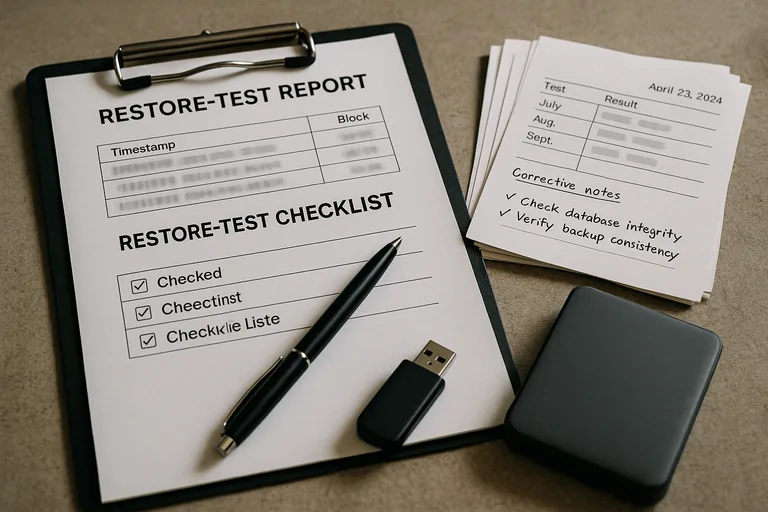
A mature environment produces evidence. That usually includes backup dashboards showing job status and storage health, restore test records with dates and results, documented recovery procedures, system inventories tied to protection policies, and exception logs showing unresolved issues instead of hiding them. A competent provider should be able to explain when the last test restore was performed, whether it was file-level or full-system, what failed, and how the issue was corrected. Without that evidence, businesses often assume they are protected because software is installed, while the real recovery path remains unproven until an outage exposes it.
When does weak implementation become dangerous?
It becomes dangerous when the program exists on paper but not in verified operation. A common failure point is backing up only on-premises servers while assuming cloud email, SaaS data, and shared drives are covered by default. Another is storing backup credentials in the same privileged accounts used for daily administration, which increases the chance that one compromise affects both production and recovery assets. This tends to break down when ownership is unclear, old systems remain in backup jobs long after replacement, restore priorities are undocumented, or nobody notices that retention policies no longer match legal or business requirements.
What should leadership do next if confidence is low?
Leadership should ask for a recovery readiness review that focuses on evidence, not assurances. That means confirming which systems are protected, what the recovery order is, what storage protections exist, how often restores are tested, where gaps or exceptions are documented, and who is accountable for closing them. If answers are vague, fragmented across vendors, or dependent on one technician’s memory, the environment is more fragile than it appears. The next step is usually to align backup scope, disaster recovery expectations, documentation, and monitoring into one accountable program.