
Backup & Disaster Recovery in Fallon, Nevada
Backup and disaster recovery helps Fallon businesses preserve critical data, restore systems in the right order, and shorten operational outages after hardware failure, ransomware, human error, or site disruption. The real issue is recovery speed, not backup volume.
On a Tuesday payroll morning in Fallon, Annabelle L. lost her accounting server when a RAID controller failed and corrupted the local backup appliance connected to the same host. Payroll stalled, invoices froze, and three days of recovery labor and rush replacement costs reached $71,000.
The following scenario is based on a redacted real-world business IT incident pattern. Identifying details have been changed for privacy, but the disruption sequence and cost impact remain realistic.

About the Author: Scott Morris
Scott Morris is an experienced IT and cybersecurity professional with 16 years of hands-on experience in managed technology services. He specializes in Backup & Disaster Recovery in Fallon, Nevada and has spent his career building practical recovery, security, and operational continuity processes for businesses across Nevada.
Recovery priorities vary by application design, vendor dependency, and how the business actually works day to day. This is general technical information; specific network environments and compliance obligations change strategy. A dental office, contractor, retailer, and accounting firm should not assume the same retention policy or restoration sequence.
Backup & Disaster Recovery in Fallon, Nevada means more than copying data to a device. It is the discipline of preserving usable copies, protecting them from the same failure that hits production systems, and restoring business operations in the right sequence. A basic file backup may recover documents, but a real backup and disaster recovery strategy also accounts for servers, Microsoft 365 data, line-of-business databases, network shares, and the credentials needed to bring them back online.
For decision-makers, the baseline questions are recovery time objective and recovery point objective: how long the business can operate without a system, and how much recent data it can afford to lose. In practice, those numbers drive whether a nightly backup is acceptable or whether replication, local recovery appliances, and documented failover steps are needed. This is why managed IT services in Fallon and continuity planning belong together; backup software without ownership, monitoring, and testing usually creates false confidence.
- Protected copies: At least one backup should be isolated from routine production access so malware, admin mistakes, or storage failure do not destroy every copy at once.
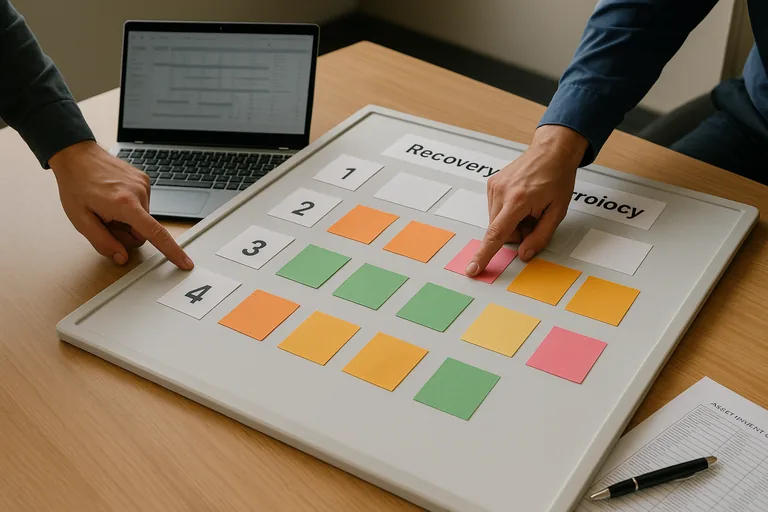
- Recovery order: Payroll, scheduling, accounting, phones, and shared files do not all return at the same speed; a mature plan defines which systems come first.
- Evidence: Recovery readiness should leave records such as job histories, restore test reports, and written procedures rather than relying on memory.
What is backup and disaster recovery in Fallon, Nevada?
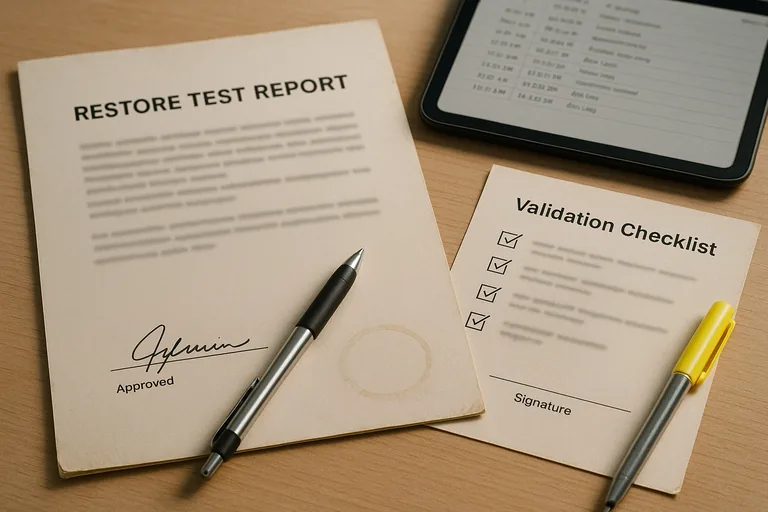
It is a combination of data protection and operational recovery planning for the systems a Fallon business depends on to function. Backup answers whether a copy of data exists; disaster recovery answers how that data becomes a working business system again after equipment failure, malware, accidental deletion, or a building-level disruption. A mature recovery readiness program defines which systems matter most, where protected copies live, how quickly each system should return, and who is responsible when an outage starts. What usually separates a stable environment from a fragile one is not the backup tool alone; it is the documented process around restoration, access, sequencing, and validation.
Why does backup and disaster recovery matter beyond keeping copies of files?
Because most outages are operational problems before they become technical ones. Staff do not need a folder tree restored in isolation; they need payroll to run, scheduling to open, invoices to post, phones to work, and customer records to be available in the right application. In environments that have not been reviewed recently, a common failure point is assuming a server restore automatically brings back the business process. It often does not. Authentication dependencies, mapped shares, vendor licensing services, internet connectivity, and cloud application access can all delay recovery long after the backup job shows green.
What risks does a competent backup and disaster recovery plan reduce?
Guidance from the Cybersecurity and Infrastructure Security Agency (CISA) emphasizes the 3-2-1 backup rule and protection of networked storage because the real risk is not only data loss; it is simultaneous loss of production and recovery copies. A competent plan can reduce exposure to ransomware encryption, accidental deletion, failed updates, storage corruption, power events, and site-specific outages. The business meaning is straightforward: fewer hours of downtime, less manual re-entry, and less chance that a stressful recovery turns into a prolonged accounting, scheduling, or compliance problem.
How does backup and disaster recovery actually work in a real business environment?
In mature environments, systems are inventoried first, then grouped by criticality, backup method, retention requirement, and recovery dependency. Servers may use image-based backups, Microsoft 365 and other SaaS data may require separate protection, and copies should replicate to an offsite or immutable repository with automated health alerts. During a quarterly restore exercise, a recovered accounting VM booted normally, but staff still could not process invoices because the license server and attached share were never included in the runbook. The signal was a successful restore that failed operationally, and the evidence of a competent fix was updated dependency documentation, a revised recovery sequence, and a signed restore test record showing the application actually worked.
How can a Fallon business tell whether its backup and recovery setup is genuinely reliable?
- Restore test records: There should be recent documentation showing what was restored, how long it took, who validated usability, and what exceptions were found.
- Recovery priority map: A written table should define acceptable downtime and data loss for each important system instead of one generic schedule for everything.
- Monitoring ownership: Alerting should have named responders, escalation rules, and after-hours responsibility so failed jobs are corrected before a crisis.
- Scope clarity: Asset inventory records should show whether servers, workstations, cloud data, firewall configuration, encryption recovery information, and vendor credentials are actually included.
When does a weak backup and disaster recovery implementation become dangerous?
A common failure point is a green dashboard hiding unusable recovery. This tends to break down when all backups sit on domain-joined storage, old service credentials remain embedded in backup jobs, retention has silently expired, or only file shares are protected while cloud email, firewall configuration, and application databases are excluded. During incident response, it is common to discover nobody knows where encryption recovery keys, hypervisor credentials, or install media are stored. The data may exist, but the business still cannot restore within an acceptable window. That is when a backup tool becomes a dangerous assumption rather than a continuity control.
What should happen next if recovery readiness is unclear?
Start with a short operational review rather than a product purchase. Identify the systems that stop revenue, payroll, scheduling, or customer service, define acceptable downtime and data loss, confirm whether protected copies are isolated, and run at least one observed restore test from backup through user validation. A competent provider or internal team should be able to explain what is in scope, what is excluded, how failed jobs are escalated, and what evidence exists when leadership asks whether the business could recover this week rather than eventually.