
Backup & Disaster Recovery
Backup and disaster recovery is the discipline of preserving usable data, restoring systems in the right order, and limiting downtime when hardware fails, software breaks, or a security event disrupts normal operations.
At 8:12 a.m. on the first payroll day after quarter close, Adriana F. learned her ERP server could not be restored because the nightly image backup had excluded the live SQL transaction logs for six weeks. Production stopped, payroll was delayed, and cleanup, overtime, and re-entry costs reached $53,500.
This opening scenario is derived from real operational incidents observed in managed IT environments. Names and identifying details have been modified for confidentiality.

About the Author: Scott Morris
Scott Morris is an experienced IT and cybersecurity professional with 16 years of hands-on experience in managed technology services. He specializes in Backup & Disaster Recovery and has spent his career building practical recovery, security, and operational continuity processes for businesses across Nevada.
This article explains operational principles, common failure modes, and evaluation points rather than prescribing one fixed design. This is general technical information; specific network environments and compliance obligations change strategy.
A mature backup and disaster recovery strategy is not just a copy of files. It is a coordinated process for preserving data, protecting recovery points, and restoring servers, applications, cloud services, and business workflows in a usable sequence. Backup answers, “Do copies exist?” Disaster recovery answers, “How fast can operations resume, in what order, and with what dependencies?”
In practice, this often breaks down when backup tools are installed but ownership is vague. A common failure point is assuming nightly job emails equal readiness, even though failed agents, expired credentials, storage growth, or unprotected SaaS data have already created exposure. This is one reason managed IT services often include monitoring, backup review, documented escalation, and periodic recovery testing instead of treating backup as a set-and-forget product.
What does Backup & Disaster Recovery actually include?
It includes far more than server images and shared folders. In real business environments, the scope often includes workstation data with business value, virtual machines, application databases, Microsoft 365 or other SaaS data where native retention may be limited, network device configurations, authentication dependencies, recovery credentials, vendor contact information, and written restoration procedures. If those pieces are scattered across different people and systems, recovery becomes slower and more error-prone even when some backups technically exist.
Why does it matter beyond restoring lost files?
Because the real cost of an outage is usually operational, not technical. When systems are unavailable, staff may be idle, orders may stop, accounting may re-enter data manually, batch processes may miss deadlines, and customer commitments can slip. For decision-makers, Backup & Disaster Recovery is really about controlling downtime, preserving revenue flow, reducing avoidable overtime, and preventing a technical failure from turning into a business continuity problem.
Which risks does a mature recovery strategy actually reduce?
It reduces the impact of storage failure, accidental deletion, corrupted updates, virtualization host issues, cloud sync mistakes, malicious encryption, and site-level interruptions that make production systems unreachable. The risk is not only losing data; it is losing the ability to restore it cleanly and quickly. Controls such as offsite copies, immutable storage, isolated backup credentials, and recovery sequencing reduce the chance that one incident damages both production and the recovery path at the same time.
How should backup and disaster recovery work in practice?
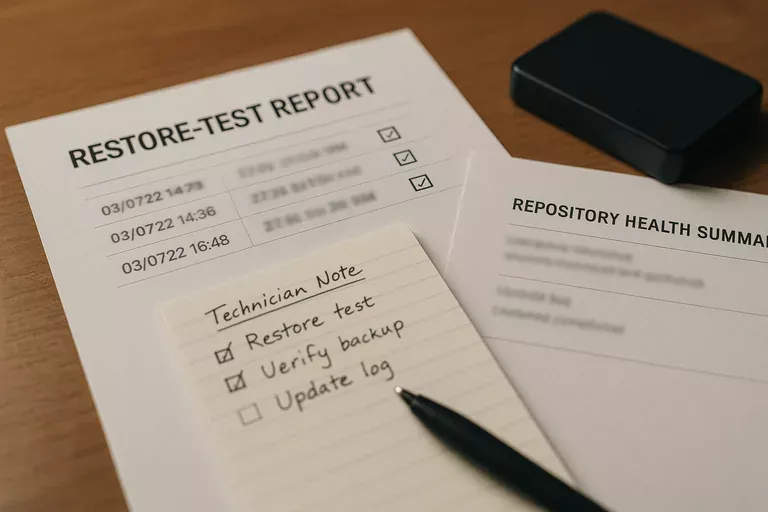
In mature environments, systems are tiered by business importance, recovery time objectives and recovery point objectives are documented, backup methods are matched to the workload, and at least one protected copy is kept offsite or immutable. Guidance from CISA Data Backup and Networked Storage emphasizes the 3-2-1 rule and protecting backups from modification because writable recovery storage can become another casualty during an incident. During a routine review, it is common to find backup jobs completing unusually fast after a new finance server is added; investigation then shows the virtual machine is being copied, but application-aware database protection was never enabled, so the restore would boot yet leave accounting data inconsistent. Competent teams prevent that by monitoring job anomalies, using isolated service accounts, documenting recovery order, and producing evidence such as job histories, repository health reports, and restore-test records.

How can a business verify that recovery capability is real?
A competent provider should be able to show the last successful file restore, the last full server or VM restore, the last application-consistent database recovery test, and the actual time each test required. Real evidence includes written runbooks, exception logs for failed agents, repository capacity reports, alert escalation records, and a documented review cadence showing who checks failed jobs and how unresolved issues are tracked. Many leaders assume their recovery capability exists because backup reports say “success,” but a common failure point is successful copying without validated restoration.
When does weak implementation become dangerous?
This tends to break down when backup storage is joined to the same domain as production, the same privileged account can alter both live systems and backups, retention periods were chosen years ago and never revisited, or recovery documentation lives in the head of one technician. In environments that have not been reviewed recently, it is also common to find retired servers still consuming backup space while newer cloud data is unprotected, or to discover that alerts are generated overnight but nobody owns response until users are already down. Weak implementation becomes dangerous when assumptions replace proof, because the first full audit of the recovery plan happens during the outage itself.
What should leadership review next?
Leadership should ask for a current list of critical systems, defined recovery targets by service, the physical and logical locations of backup copies, the method used to protect backups from alteration, the schedule for restore testing, and the evidence produced after each test. A competent provider should be able to explain which systems come back first, what manual workarounds exist if recovery is partial, who approves failover decisions, and how exceptions are documented when targets are missed. In practice, the issue is rarely the tool alone; it is the process around it.