
Reno Dental Login Remed
Seeing login failures is often the visible symptom of hidden threats, not the root problem itself. In dental offices across Reno, issues like stolen credentials, MFA gaps, and weak monitoring can quietly undermine governance policy and audit preparation until work stops or risk spikes. The fix usually starts with hardening identity, watching for abnormal behavior, and closing blind spots across users and devices.
This case study reflects real breakdown patterns documented across 300+ regional IT incidents. Names and identifying details have been modified for confidentiality, while technical and financial data remain accurate to the original events.

Why Login Failures in Reno Dental Offices Often Point to a Hidden Identity Problem
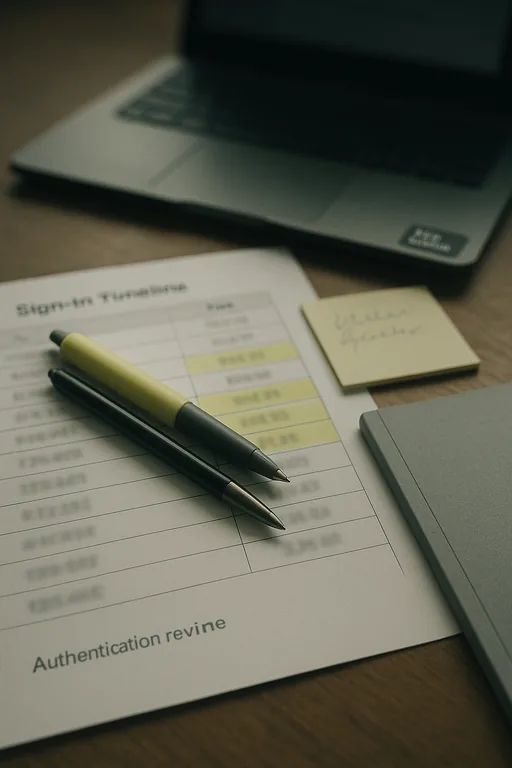
When a dental office starts seeing failed logins, locked accounts, or repeated MFA prompts, the visible symptom is usually not the real problem. In most cases, the underlying issue is identity exposure: stolen usernames and passwords, weak conditional access rules, dormant accounts that were never disabled, or poor visibility into who is authenticating from where. That is why modern attackers often do not break through a firewall at all. They log in with valid credentials and move through systems in ways that look normal until scheduling, billing, imaging access, or patient intake starts to fail.
For Reno dental practices, this creates a governance issue as much as a technical one. Offices depend on cloud email, practice management platforms, imaging systems, insurance portals, and remote vendor access. If identity controls are inconsistent, audit preparation becomes harder and leadership loses confidence in whether access is being managed properly. We typically see this improve when practices put formal governance policy and audit preparation in Reno around account lifecycle control, MFA enforcement, and login monitoring instead of treating each lockout as a one-off help desk event.
The invisible threat is that valid logins can hide abnormal behavior. A user may authenticate successfully from a local Reno workstation in the morning and then show suspicious access attempts from another region later the same day. Without alerting, that pattern gets missed. In dental environments, the consequence is not just inconvenience. It can interrupt front-desk flow, delay claims work, and create uncertainty around access to systems that support patient care. That is the same pattern we see when Gilbert-style incidents begin with a simple lockout and then expand into a broader operational review.
- Credential misuse: Password reuse, phishing exposure, and unmanaged legacy accounts allow attackers to authenticate with valid credentials that perimeter tools may not flag.
- MFA inconsistency: Some users are protected while older service accounts, shared mailboxes, or vendor logins remain outside policy.
- Weak monitoring: Failed logins, impossible travel, repeated reset requests, and unusual after-hours access often go unreviewed in smaller offices.
- Operational dependency: Dental scheduling, imaging, claims, and patient communications all rely on identity working correctly across multiple platforms.
Practical Remediation for Hidden Login Threats
The right remediation path starts with confirming whether the issue is a user error, a policy gap, or active credential abuse. We usually begin by reviewing sign-in logs, MFA status, conditional access policies, account age, password reset history, and endpoint health. In a dental office, that review should include front-desk users, providers, billing staff, remote vendors, and any shared or legacy accounts tied to scanners, imaging software, or line-of-business applications. The goal is to reduce blind spots, not just restore access.
From there, the work becomes procedural. Enforce MFA everywhere it is technically possible, disable stale accounts, restrict administrative rights, and set alerts for abnormal sign-in behavior. Recovery planning matters too. If a compromised account disrupts access to cloud systems or local files, the office needs tested business continuity and backup compliance controls so patient flow and billing do not stop while remediation is underway. For practical identity hardening guidance, the CISA identity security recommendations are a useful baseline.
- Identity review: Audit all active accounts, privileged roles, shared credentials, and vendor access paths.
- MFA hardening: Require MFA across email, cloud apps, VPN, and administrative access, with exceptions documented and minimized.
- Conditional access: Block risky sign-ins, restrict access by device state, and flag impossible travel or unusual login times.
- Endpoint validation: Confirm that devices tied to affected accounts are patched, encrypted, and monitored by EDR.
- Alerting improvements: Route repeated failures, lockouts, and suspicious sign-in events into a process someone actually reviews.
Field Evidence: Restoring Access Control Without Disrupting Patient Flow
We worked through a similar pattern for a healthcare-adjacent office operating between Reno and Sparks where staff initially reported only intermittent login failures and repeated password reset requests. The deeper review showed a mix of stale accounts, weak MFA enrollment, and after-hours authentication attempts that had blended into normal noise. The office had also been relying on informal recovery steps instead of a documented process.
After tightening identity policy, removing unused accounts, and validating backup and recovery programs for operational resilience , the office moved from reactive resets to controlled access management. That mattered in a Northern Nevada setting where multi-site coordination, vendor travel, and time-sensitive patient scheduling leave little room for repeated lockouts or uncertain recovery steps.
- Result: Login-related interruptions dropped by more than 80 percent over the next quarter, MFA coverage reached all active users, and the office reduced average access restoration time from hours to under 20 minutes.
Reference Table: Identity Risks and Practical Controls for Dental Offices
Scott Morris is an experienced IT and cybersecurity professional with 16 years of hands-on experience in managed technology services. He specializes in Governance Policy And Audit Preparation and has spent his career building practical recovery, security, and operational continuity processes for businesses across Reno, Sparks, Carson City, and Northern Nevada and Northern Nevada.

About the Author: Scott Morris
Local Support in Reno, Sparks, and Northern Nevada
Dental offices in Reno and nearby communities often need identity remediation that accounts for real operating conditions: multiple cloud platforms, outside vendors, staff turnover, and travel between Reno and Sparks business sites. From our Ryland Street office, the route to the Tesla Gigafactory area is typically about 31 minutes, which reflects the broader service reality across Northern Nevada. That local reach matters when login failures are tied to hidden identity risk rather than a simple password reset.
Operational Takeaway for Dental Login Remediation
Login failures in a Reno dental office should be treated as a signal, not a standalone event. When the root cause is hidden identity exposure, the real work is tightening access policy, enforcing MFA consistently, reviewing authentication behavior, and making sure recovery processes are documented and tested. That approach supports both day-to-day operations and audit readiness.
Practices that handle this well do not just reduce lockouts. They improve confidence in who has access, how access is monitored, and how quickly the office can recover when something abnormal happens. For dental teams balancing patient flow, claims activity, and compliance obligations, that is the practical standard to aim for.