
Reno/Sparks Login Fail
The outage or lockout is usually the last symptom to appear, not the first. Unclear ownership, overlapping tools, and fragmented support create weak points that can disrupt network server and cloud management and put response time, accountability, and outage recovery at risk. Reducing that risk starts with clarifying ownership and enforcing cleaner escalation paths.
This case study reflects real breakdown patterns documented across 300+ regional IT incidents. Names and identifying details have been modified for confidentiality, while technical and financial data remain accurate to the original events.
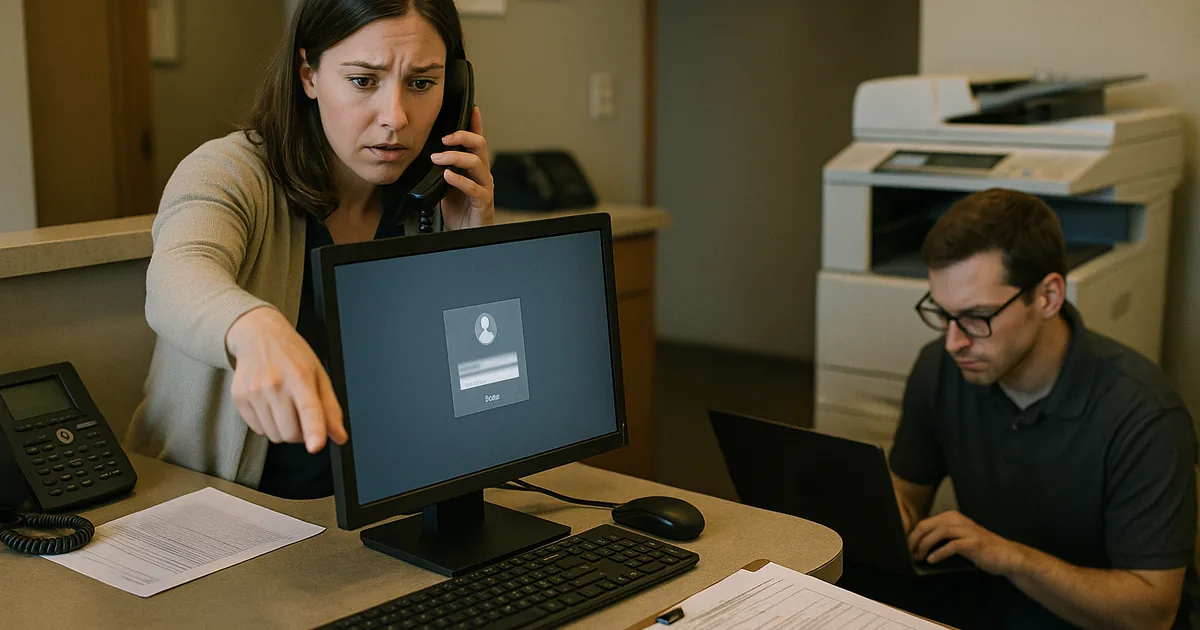
Why Vendor Chaos Turns a Simple Login Failure Into an Office-Wide Outage
A dental office in Sparks usually does not fail because one password was entered incorrectly. In most cases, the visible login problem is the final result of a larger ownership gap. One vendor manages the firewall, another touches Microsoft 365, another supports the practice application, and nobody is clearly responsible for identity, server dependencies, or escalation. That is the core of the vendor chaos problem. When no one owns the full path from user sign-in to application access, recovery slows down and accountability disappears.
We see this often in Northern Nevada offices where the office manager is left coordinating internet, phones, software, printers, and workstations between multiple outside providers. In Sparks, that can be made worse by older suites with layered cabling, mixed ISP handoffs, and cloud applications that still rely on local line-of-business connectors. Strong network server and cloud management in Northern Nevada closes those gaps by defining who owns authentication, who monitors dependencies, and who has authority to act when systems stop talking to each other. In cases like Bella’s, the real issue is rarely just the login screen. It is the missing operational map behind it.
- Technical factor: Split vendor responsibility across identity, internet, endpoint, and application support creates delayed triage, duplicate tools, and no single source of truth during an outage.
- Operational factor: Front-desk staff lose access first, but the downstream effect reaches scheduling, treatment notes, claims submission, and patient communication within minutes.
- Recovery factor: If admin credentials, escalation contacts, and system dependencies are undocumented, even a short lockout can stretch into half a business day.
How to Fix the Ownership Gap Before the Next Lockout
The practical fix is not adding another vendor. It is assigning clear operational ownership across the environment. Start with a current system inventory that identifies who manages Microsoft 365, domain services, firewall policies, line-of-business applications, backup jobs, ISP circuits, and endpoint security. Then establish one escalation path with named contacts, after-hours procedures, and documented authority to reset credentials, disable risky access, and coordinate vendors during an incident. Offices that rely on several outside providers still need one accountable operating model.
From a technical standpoint, we recommend centralizing alerting, validating identity dependencies, and using security monitoring and response for business systems so failed sign-ins, account lockouts, suspicious access attempts, and service interruptions are visible in one place. Multi-factor authentication should be enforced for administrative roles, backup access should be tested, and shared credentials should be removed from scanners, legacy workstations, and old vendor tools. The CISA guidance on strong authentication and account security is a useful baseline, but the real improvement comes from applying those controls consistently across the office.
- Control step: Build a single escalation matrix that ties user identity, cloud access, firewall ownership, endpoint visibility, and vendor contacts into one documented response process.
- Control step: Remove legacy shared accounts and validate MFA, conditional access, and admin recovery methods before an incident occurs.
- Control step: Test backup access and application recovery so a login failure does not become a billing or records disruption.
Field Evidence: Restoring Accountability in a Multi-Vendor Dental Environment
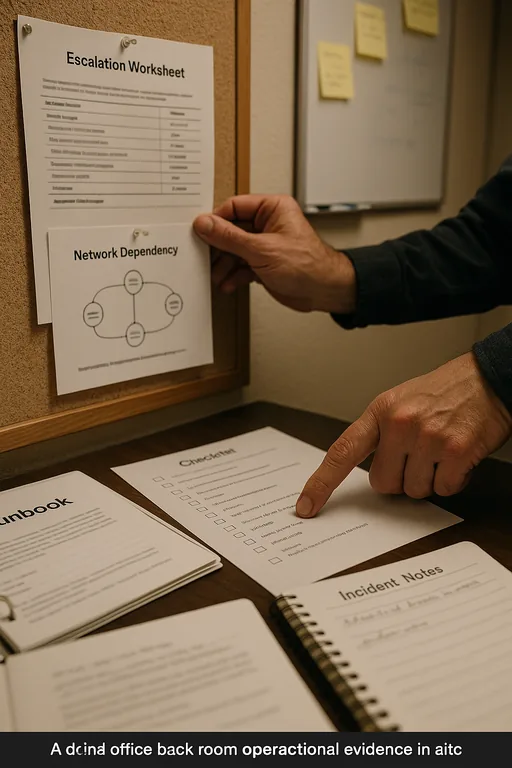
In one Northern Nevada healthcare office corridor, the original condition was familiar: the ISP handled the circuit, the software vendor handled the practice platform, a local phone provider managed voice, and no one maintained a current diagram of authentication flow or device ownership. After a lockout event, the office spent too long determining whether the issue was Microsoft 365, a local workstation policy, a stale connector, or a vendor-side permission change.
After remediation, the office had a current escalation sheet, centralized alerting, documented admin ownership, and a defined process for isolating whether the fault was identity, endpoint, network, or application related. That same structure also supported broader compliance-focused IT management by reducing unmanaged access paths and improving incident documentation. In practical terms, the next authentication issue was contained in under 25 minutes instead of disrupting most of the morning.
- Result: Login-related downtime dropped from roughly 3.5 hours to under 25 minutes, with faster vendor coordination and same-day billing continuity.
Reference Table: Systems Commonly Involved in Dental Login Failures
Scott Morris is an experienced IT and cybersecurity professional with 16 years of hands-on experience in managed technology services. He specializes in Network Server And Cloud Management and has spent his career building practical recovery, security, and operational continuity processes for businesses across Sparks, Reno, and Northern Nevada and Northern Nevada.

About the Author: Scott Morris
Local Support in Sparks, Reno, and Northern Nevada
From our Reno office, the drive to the Galena area is typically about 18 minutes under normal conditions. That local proximity matters when a dental office is trying to sort out whether a login failure is tied to the workstation, the network edge, cloud identity, or a vendor-side change. Fast response is useful, but clear ownership and documented escalation are what keep a Sparks-area issue from turning into a full-day disruption.
Clear Ownership Prevents Small Access Problems From Becoming Major Downtime
A login failure in a Sparks dental office is usually not just a user issue. It is often the visible result of fragmented support, undocumented dependencies, and too many vendors operating without a shared escalation process. When identity, network, cloud access, and application support are managed separately, the office pays for that confusion in lost chair time, delayed billing, and staff distraction.
The operational takeaway is straightforward: define ownership before the next outage, document the full support chain, and test recovery paths while systems are healthy. That approach improves response time, reduces finger-pointing, and gives the office a practical way to restore service without turning every incident into a vendor coordination exercise.