
Reno Lockout Help
When a business is dealing with a lockout, the failure usually started earlier. Surprise spending, delayed upgrades, and aging infrastructure can weaken endpoint and threat protection over time and leave medical practices in The Truckee Meadows exposed when pressure hits. Addressing the problem means planning upgrades deliberately and aligning IT decisions to business risk.
This case study reflects real breakdown patterns documented across 300+ regional IT incidents. Names and identifying details have been modified for confidentiality, while technical and financial data remain accurate to the original events.

Why Financial Roadmap Failures Lead to Medical Lockouts
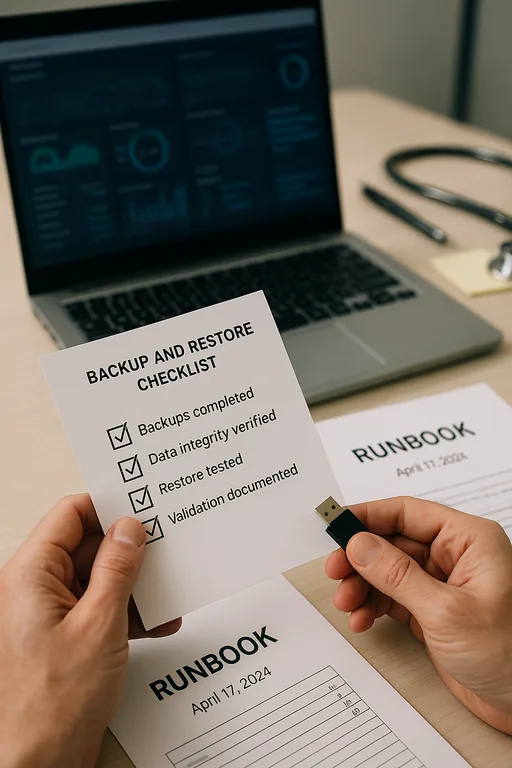
A medical practice usually does not get locked out because of one bad morning. In most cases, the lockout is the visible result of a longer planning failure. When IT is treated as a surprise expense instead of a budgeted operating function, upgrades get deferred, endpoint tools age out, unsupported systems stay in service, and security controls become inconsistent across front-desk, provider, and billing devices. That is the core problem behind The Financial Roadmap discussion: the business has technology risk, but no structured plan for when to replace, standardize, or harden systems.
In The Truckee Meadows, we see this most often in smaller healthcare environments trying to stretch hardware life while also managing EHR access, printers, scanners, line-of-business applications, and remote vendor dependencies. A practice may still be functioning day to day, but that does not mean it is stable. Once credentials fail, an endpoint agent breaks, or a workstation cannot complete a required update, the result can be a broad access issue rather than a single-device problem. That is why organizations with recurring gaps often need endpoint and threat protection in Northern Nevada that is tied to lifecycle planning, not just antivirus renewal. In situations like Hunter’s, the lockout is only the last step in a chain that started with delayed decisions.
- Budget drift: Security renewals, workstation refreshes, and identity controls are postponed until a visible failure forces spending.
- Aging endpoints: Older devices fall behind on patches, agent compatibility, and performance, increasing the chance of login and protection failures.
- Operational concentration: Medical front desks depend on a small number of systems for intake, scheduling, and billing, so one lockout can affect the entire day.
- Compliance exposure: When staff revert to paper processes or shared workarounds, audit and privacy risks increase alongside downtime.
How to Correct the Planning Gap Before It Becomes Downtime
The fix is not just to unlock accounts and move on. The practice needs a financial roadmap that ties technology spending to operational risk. We typically start by identifying unsupported endpoints, inconsistent security tooling, stale admin access, and any gap between what the practice depends on daily and what is actually being monitored, patched, and budgeted. From there, the remediation plan should assign replacement dates, security baselines, and ownership so the next upgrade is scheduled rather than reactive.
For medical environments, this work should also connect to policy, documentation, and audit readiness. That is where compliance-focused IT management matters, especially when access control, device standards, and incident response procedures need to align with healthcare obligations. A practical reference point is the CISA ransomware and resilience guidance , which reinforces the same fundamentals we apply in the field: hardened identities, tested recovery, current endpoints, and documented response steps.
- Endpoint standardization: Replace unsupported workstations and bring all devices onto a consistent security stack with centralized alerting.
- MFA hardening: Require multifactor authentication for email, remote access, admin accounts, and cloud applications tied to patient operations.
- Lifecycle budgeting: Build a 12- to 36-month replacement schedule so hardware, licenses, and security renewals are planned in advance.
- Backup validation: Test restore points for critical systems and confirm that billing, document, and configuration data can be recovered quickly.
- Access governance: Remove stale privileges, document role-based access, and review vendor accounts that can affect practice systems.
Field Evidence: From Reactive Spending to Predictable Recovery
We worked with a healthcare office corridor in the Reno-Sparks area that had a similar pattern: aging endpoints, inconsistent security agents, and no documented replacement schedule. Before remediation, a failed workstation or account issue could stall intake, delay claims work, and force staff to share devices just to keep appointments moving. After standardizing endpoints, tightening identity controls, and building a quarterly review process, the office had a much clearer operating baseline and fewer emergency decisions.
The measurable improvement was not just technical. Front-desk interruptions dropped, support escalations became narrower, and leadership could forecast replacement costs instead of absorbing them as surprise expenses. For organizations that need stronger oversight across policy and regulated workflows, structured compliance advisory programs also help connect technical controls to business accountability.
- Result: Critical access incidents were reduced from repeated monthly disruptions to isolated, contained events, and average recovery time for endpoint-related lockouts fell to under 45 minutes.
Medical Practice Lockout Risk Reference
Scott Morris is an experienced IT and cybersecurity professional with 16 years of hands-on experience in managed technology services. He specializes in Endpoint And Threat Protection and has spent his career building practical recovery, security, and operational continuity processes for businesses across The Truckee Meadows and Northern Nevada.


About the Author: Scott Morris
Local Support in The Truckee Meadows
Medical offices in Reno, Sparks, and surrounding areas often operate with tight staffing, fixed appointment windows, and little tolerance for access failures. From our office on Ryland Street, support to Cold Springs and other outlying parts of the Truckee Meadows has to account for real travel time, which is why remote visibility, documented standards, and planned lifecycle decisions matter so much.
What Medical Practices Should Take Away
A lockout in a medical office is rarely just a password problem. More often, it is the result of deferred spending, aging endpoints, inconsistent controls, and no clear financial roadmap for keeping systems current. When leadership treats IT as a planned operating function, the practice is in a much better position to avoid downtime, protect patient workflows, and control recovery costs.
For Truckee Meadows practices, the practical answer is straightforward: standardize endpoints, budget replacements before failure, validate recovery, and connect security decisions to business risk. That approach is less disruptive than emergency spending and far more reliable than waiting for the next access failure to define priorities.