
Reno/Sparks Lockout
The outage or lockout is usually the last symptom to appear, not the first. Slow devices, ticket backlogs, and repeated workarounds create weak points that can disrupt managed backup solutions and put productivity, response times, and team focus at risk. Reducing that risk starts with stabilizing daily support, reducing repeat issues, and standardizing how IT is handled.
This case study reflects real breakdown patterns documented across 300+ regional IT incidents. Names and identifying details have been modified for confidentiality, while technical and financial data remain accurate to the original events.

Why Small IT Friction Turns Into a Full Lockout
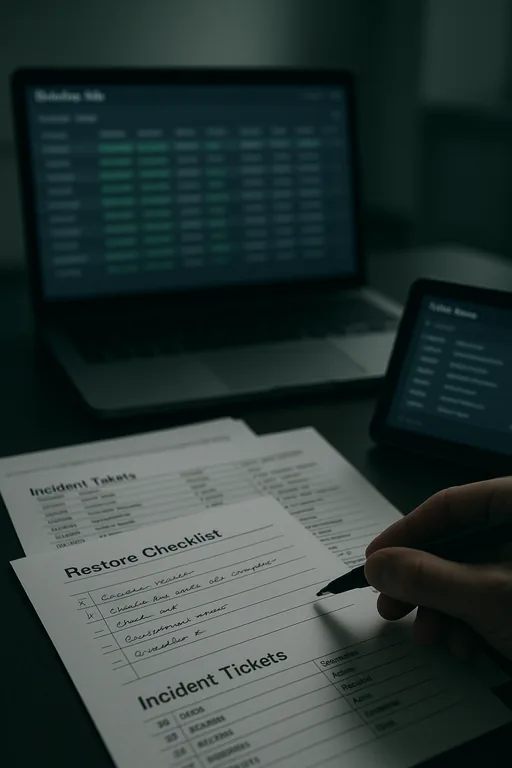
Medical practices in Sparks usually do not get locked out because of one dramatic event. The pattern is more operational than sudden. A few exam room PCs run slowly. Password resets take too long. A line-of-business application freezes and staff start using shared credentials or handwritten workarounds to stay on schedule. Over time, those shortcuts weaken access control, delay patching, and create blind spots around backup status and endpoint health.
That is the operational drain. Small daily glitches act like a steady tax on the front desk, providers, and billing staff until one final failure interrupts the whole workflow. In practices that depend on EHR access, scanned documents, and same-day claims processing, weak oversight around managed backup solutions in Sparks medical offices often shows up alongside unresolved support tickets, inconsistent device standards, and no clear escalation path. When Tina’s team could no longer access key systems, the lockout was only the visible symptom of a longer-running support problem.
- Ticket backlog: Repeated low-level issues stay open too long, which allows device instability, account problems, and failed updates to accumulate until staff lose access at the worst possible time.
- Workstation inconsistency: Mixed hardware age, local admin exceptions, and uneven patch levels create unpredictable behavior across front-desk, billing, and provider systems.
- Backup dependency gaps: Backups may exist, but if endpoint issues, storage alerts, or failed jobs are not reviewed consistently, recovery confidence drops when a lockout or outage occurs.
- Workflow pressure: In a busy Sparks clinic, staff will prioritize patient flow over process discipline, which is understandable operationally but risky technically.
How To Stabilize Support Before Backup and Recovery Are Tested
The practical fix is not just restoring access. It is reducing the conditions that made the lockout likely in the first place. We typically start by standardizing endpoint management, reviewing identity controls, and confirming whether backup alerts, failed jobs, and storage thresholds are actually being monitored. For medical practices, that means tying support discipline to daily operations instead of treating backup as a separate project.
A sound remediation plan usually includes documented recovery priorities, tested restore procedures, and stronger account protection. Practices that need more resilient backup and recovery programs for regulated environments should also validate retention settings, immutable or isolated backup copies where appropriate, and role-based access for staff who handle scheduling, billing, and records. Guidance from CISA’s ransomware and recovery recommendations is useful here because it connects backup readiness with access control, monitoring, and incident response.
- MFA hardening: Require multifactor authentication for email, remote access, and administrative accounts to reduce account compromise and lockout risk.
- Backup validation: Test restores on a schedule, not just backup completion, so the practice knows recovery points are usable.
- Endpoint control: Standardize patching, EDR, and local privilege management across all clinical and administrative devices.
- Alerting improvements: Route failed backup jobs, storage warnings, and authentication anomalies to a monitored queue with ownership and response times.
Field Evidence: Restoring Workflow After Repeated Support Delays
We have seen this pattern in practices operating between Sparks and Reno where older tenant improvements, mixed Wi-Fi coverage, and a blend of cloud and on-premise applications create just enough friction to slow every department. Before remediation, staff were dealing with recurring login failures, delayed chart access, and backup alerts that were acknowledged but not fully resolved. The office could still function, but only by leaning on manual workarounds and staff memory.
After standardizing device baselines, tightening account controls, and improving IT systems for multi-location operations , the environment became more predictable. Support tickets dropped because the same issues stopped repeating, backup exceptions were reviewed before they became emergencies, and front-desk staff no longer had to improvise around unstable systems during peak patient hours.
- Result: Repeated access-related tickets were reduced by 43 percent over the next quarter, backup job success rates stabilized above 98 percent, and same-day billing delays tied to system interruptions were materially reduced.
Operational Controls That Reduce Lockout Risk
Scott Morris is an experienced IT and cybersecurity professional with 16 years of hands-on experience in managed technology services. He specializes in Managed Backup Solutions and has spent his career building practical recovery, security, and operational continuity processes for businesses across Sparks, Reno, and Northern Nevada and Northern Nevada.


About the Author: Scott Morris
Local Support in Sparks, Reno, and Northern Nevada
Medical offices in Sparks often depend on support that can respond quickly across Reno-area corridors while still understanding the operational realities of patient scheduling, billing deadlines, and backup recovery priorities. From our Reno location, we regularly support organizations that need both remote triage and on-site follow-through when access issues, failed backups, or workstation instability begin affecting the workday.
Operational Takeaway for Sparks Medical Practices
A lockout in a medical office is rarely just an access problem. It is usually the end result of unmanaged daily friction: slow devices, unresolved tickets, inconsistent account practices, and backup oversight that is assumed to be working rather than verified. In Sparks practices, those issues directly affect patient flow, billing timing, and staff efficiency.
The practical response is to reduce repeat problems before they become outages. When support is standardized, backups are tested, and systems are monitored with clear ownership, the practice gains stability instead of relying on workarounds. That is what prevents operational drain from turning into a full-day disruption.