
Reno Lockout Help
Problems like this tend to stay hidden until something important breaks. For medical practices in South Meadows, that often means a lockout, avoidable delays, or a bigger recovery burden than expected. The best response is standardizing how new users, devices, and systems are brought online.
This case study reflects real breakdown patterns documented across 300+ regional IT incidents. Names and identifying details have been modified for confidentiality, while technical and financial data remain accurate to the original events.

Why Medical Practices Hit the Scalability Ceiling

The direct answer is straightforward: lockouts like this usually happen when hiring, device growth, and application changes move faster than the IT standards behind them. A medical practice in South Meadows may add providers, exam-room workstations, tablets, printers, scanners, and remote access needs over a short period. If account creation, endpoint enrollment, licensing, security policy, and network access are still being handled manually or inconsistently, the environment eventually stops scaling cleanly.
We typically find that the first visible symptom is not a warning from the system. It is an operational failure. A new user cannot sign in, a workstation is missing required controls, a line-of-business application behaves differently on one device than another, or a policy conflict locks out access at the worst possible time. That is why proactive device and endpoint management in Reno matters before the next hiring wave, not after. In a clinical setting, the business consequence is immediate: intake slows, providers wait, billing gets delayed, and compliance risk increases because teams start improvising around broken access.
South Meadows practices are especially vulnerable when they are growing into additional rooms, adding satellite workflows, or relying on a mix of cloud apps and on-premise systems. The scalability ceiling is rarely one single broken server. It is usually a stack of small inconsistencies that finally collide. In situations like the one Shawn faced, the lockout is just the moment the underlying capacity problem becomes impossible to ignore.
- Technical factor: Unstandardized onboarding across user accounts, laptops, security policies, and application permissions creates endpoint sprawl that eventually causes authentication failures, missing controls, and inconsistent access.
- Operational factor: Hiring ahead of IT readiness means the network, licensing model, and support process are forced to absorb growth without a repeatable deployment standard.
- Business consequence: Front-desk delays, provider downtime, and interrupted billing create measurable losses long before anyone labels the issue as a scalability problem.
What Remediation Looks Like in Practice
The fix is not simply unlocking accounts and moving on. The right remediation is to standardize the full lifecycle of users and devices so every new hire, workstation, and application follows the same build, access, and security process. For medical practices, that means defining approved device profiles, enforcing endpoint enrollment, tying role-based permissions to job function, validating licensing before deployment, and documenting what has to happen before a user is considered production-ready.
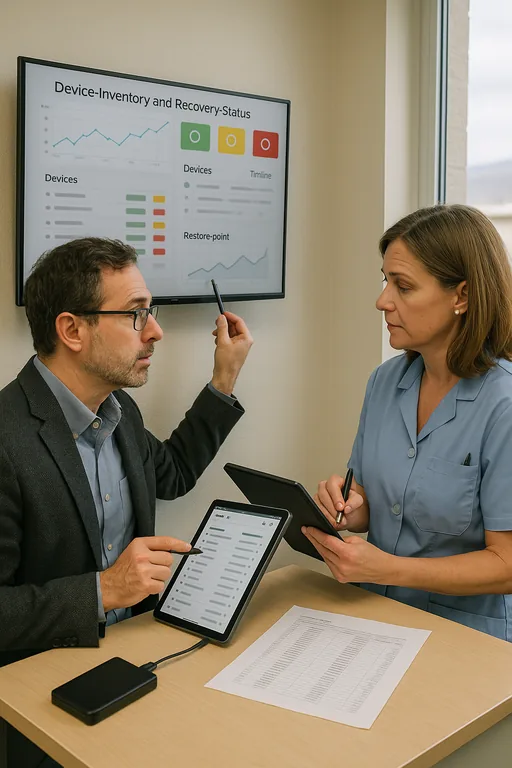
We also recommend testing recovery assumptions, because lockouts often expose weak rollback options. If a policy push, failed update, or identity sync issue disrupts access, the practice needs verified restore points and documented recovery steps. That is where backup and recovery programs for healthcare operations become part of the remediation plan rather than a separate project. For security and resilience guidance, the CISA ransomware and resilience guidance is a practical reference, especially for organizations tightening endpoint controls and recovery procedures.
- Control step: Build a standardized onboarding workflow that includes identity creation, MFA enrollment, endpoint policy assignment, application access validation, and post-deployment verification before the user starts seeing patients.
- Control step: Use role-based groups and documented permission templates so front desk, billing, providers, and administrators are not granted access ad hoc.
- Control step: Validate backups of critical systems and configuration data, including recovery testing for authentication and line-of-business dependencies.
- Control step: Review VLANs, wireless segmentation, and device inventory so unmanaged endpoints do not quietly accumulate as the practice expands.
Field Evidence: Stabilizing a Growing Clinical Environment
In one Northern Nevada medical office corridor, the pattern was familiar: rapid staff additions, more exam-room devices, and a network that had grown in pieces over time. Before remediation, new user setup depended on memory, local admin workarounds, and inconsistent application permissions. After standardization, every workstation was enrolled the same way, account provisioning was tied to role templates, and network dependencies were documented instead of assumed.
The before-and-after difference was operationally clear. Instead of troubleshooting each onboarding event as a separate emergency, the practice had a repeatable process that reduced lockouts, shortened setup time, and made support more predictable during busy clinic hours. We also see better long-term stability when practices pair endpoint discipline with IT systems for multi-location operations , especially when cloud applications, local printers, and provider mobility all have to work together across Reno and South Meadows.
- Result: New-user deployment time dropped from most of a business day to under 90 minutes, and access-related tickets fell by roughly 60 percent over the following quarter.
Reference Table: Common Scalability Risks in Medical Practice IT
Scott Morris is an experienced IT and cybersecurity professional with 16 years of hands-on experience in managed technology services. He specializes in Proactive Device And Endpoint Management and has spent his career building practical recovery, security, and operational continuity processes for businesses across South Meadows, Reno, and Northern Nevada and Northern Nevada.

About the Author: Scott Morris
Local Support in South Meadows, Reno
Medical practices in South Meadows often need support that accounts for both patient-facing urgency and the practical realities of Reno operations. From our office on Ryland Street, we regularly work with businesses that need faster onboarding standards, cleaner endpoint control, and more predictable recovery planning before growth creates another access failure. The route to the Washington Street area is short, but the more important advantage is having documented systems that reduce disruption no matter where the issue starts.
Standardization Has to Happen Before Growth Forces the Issue
The core problem is not that a medical practice added people, devices, or software. The problem is that growth happened without a repeatable operating standard for accounts, endpoints, permissions, and recovery. Once that gap gets wide enough, a routine change can trigger a lockout that affects scheduling, billing, and patient flow all at once.
For South Meadows practices, the practical takeaway is simple: expand IT capacity before the next hiring push, not after the next outage. When onboarding, endpoint management, backup validation, and network dependencies are documented and enforced, the business becomes easier to support and far less likely to stall under its own growth.