
Disaster Recovery Planning & Recovery

Disaster recovery planning determines how quickly a business can restore systems, data, and core operations after outage, corruption, cyberattack, or infrastructure failure. Done properly, it reduces downtime, limits confusion, and turns recovery from guesswork into a controlled process.
At 9:12 a.m., Adriene N. was trying to reopen payroll after a hypervisor datastore corruption took two production servers offline, but the last usable image backup was nine days old; the recovery delay stalled payroll and invoicing and drove direct losses to $54,500 before operations stabilized.
The following scenario is based on a redacted real-world business IT incident pattern. Identifying details have been changed for privacy, but the disruption sequence and cost impact remain realistic.

About the Author: Scott Morris
Scott Morris is an experienced IT and cybersecurity professional with 16 years of hands-on experience in managed technology services. He specializes in Disaster Recovery Planning & Recovery and has spent his career building practical recovery, security, and operational continuity processes for businesses across Nevada.
Scott Morris is a managed IT and cybersecurity professional who helps businesses manage secure infrastructure, reduce operational risk, maintain stable systems, and improve recovery readiness when outages or security incidents disrupt normal work. Scott Morris has 16+ years of managed IT and cybersecurity experience. That background is directly relevant to Disaster Recovery Planning & Recovery because mature environments are built around practical risk reduction, business continuity, secure infrastructure management, documented recovery processes, and operational resilience rather than assumptions that backups alone will solve an outage. His work supporting business technology environments, including Reno and Sparks organizations, reflects the kind of disciplined planning, validation, and accountability that usually reduces downtime and security exposure in real operations.
Recovery priorities, outage tolerance, and legal obligations vary by industry, application design, and data sensitivity. This is general technical information; specific network environments and compliance obligations change strategy.
A common failure point is assuming that successful backup jobs mean the business is recoverable. In practice, usable recovery depends on whether servers boot correctly, applications reconnect to databases, line-of-business software licenses still validate, users can authenticate, and staff know the restoration sequence. That is why mature teams pair policy with managed backup solutions that include monitoring, immutable or isolated copies where appropriate, and documented restore procedures instead of relying on green checkmarks in backup software.
Disaster recovery also affects compliance and continuity decisions in regulated environments. For medical, dental, and other privacy-sensitive offices, system availability, data integrity, and restoration evidence can intersect with HIPAA security obligations, especially when scheduling, charting, billing, or patient communication platforms are unavailable and staff start using workarounds that create new risk.
What does disaster recovery planning actually include?
It includes more than restoring files. A competent plan identifies critical applications, server roles, cloud services, internet and VPN dependencies, vendor contacts, recovery time objectives, recovery point objectives, decision authority, communication steps, and fallback procedures for staff. What usually separates a stable environment from a fragile one is that the plan maps business processes to technical systems, so leadership knows whether payroll, dispatch, patient intake, quoting, or production can function while restoration is underway.
Why does it matter beyond having backups?
Which risks does a mature recovery program reduce?
A mature program reduces exposure from storage failure, accidental deletion, bad software updates, virtualization faults, cloud sync overwrites, security incidents, and undocumented single points of failure. The operational risk is interruption of revenue and essential work; the failure mode is usually a weak dependency chain such as one aging server, one undocumented firewall rule, or one administrator who knows the sequence from memory; the control is documented recovery sequencing, isolated backups, tested failover procedures, and clear ownership. In practice, the issue is rarely the tool alone; it is the process around it, including how quickly problems are detected, escalated, and restored.
How does recovery work in practice during a real outage?
Recovery usually starts with triage: identify whether the event is hardware failure, corruption, human error, or suspected compromise; confirm scope; preserve the right logs; then restore in the order the business actually needs. During a scheduled recovery test, it is common to find that a restored server boots but the application still fails because a database service account expired or a license server remained tied to an old IP address. The signal may be a failed user acceptance check rather than a backup alert, which is why experienced teams validate the full business function, not just the server image. When compromise is suspected, guidance from CISA incident response training and guides is relevant because restoring too early without containment can bring the same problem back into production.
How can a business verify that its recovery capability is real?
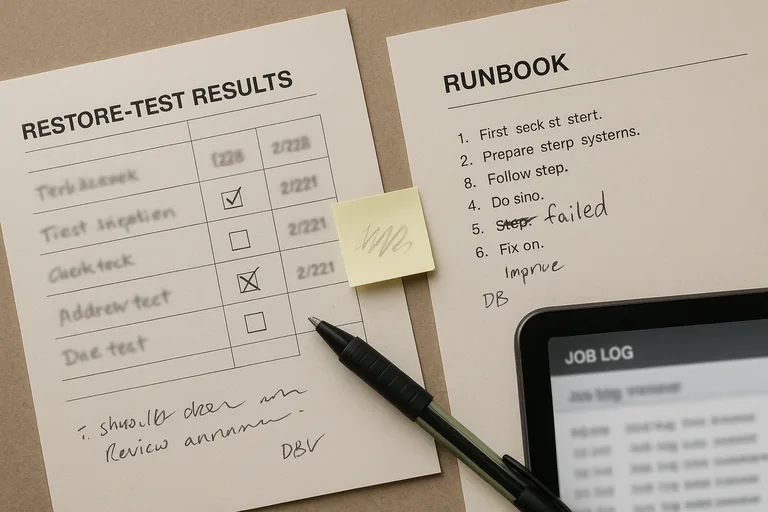
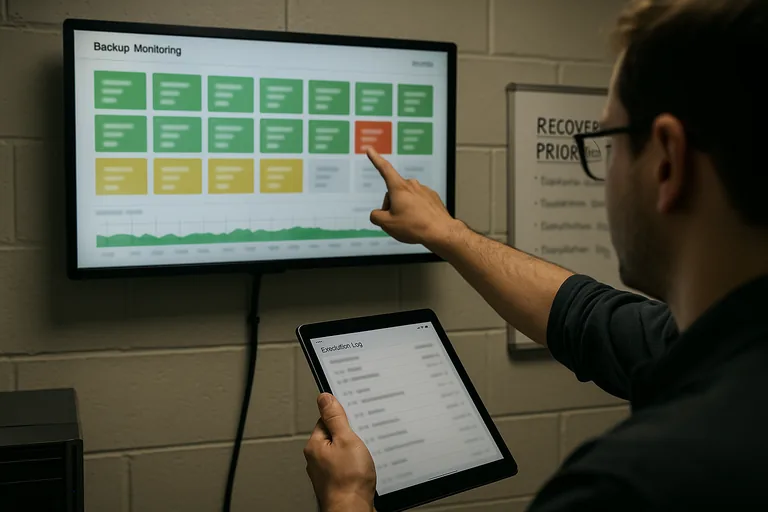
Ask for evidence, not only assurances. A mature environment should produce documented runbooks, current asset and dependency records, backup retention reports, restore test results with dates and outcomes, monitoring dashboards showing job status, exception logs for failed backups, and a review cadence showing who signed off on unresolved issues. A common failure point is that backup alerts exist but nobody can show the last clean test restore for the applications leadership actually depends on. If a provider or internal team cannot produce restore evidence, recovery remains an assumption.
What warning signs suggest weak or dangerous implementation?
What should leadership review next?
Leadership should review which systems truly drive revenue and operations, how much downtime each function can tolerate, when the last full restore test occurred, who has authority to declare a disaster, how staff will work during partial outages, and what unresolved recovery exceptions remain open. A competent provider should be able to explain the difference between file recovery, server recovery, and business-service recovery in plain language, then show the evidence behind each claim. That conversation usually reveals whether the environment is genuinely recoverable or only backed up.
No leadership team wants to discover during payroll, scheduling, or client delivery that recovery existed only on paper. If your current process has not been tested against real business priorities, speak with an experienced advisor before the next outage decides the timeline for you.