
Business Continuity & Backup Compliance

Business continuity and backup compliance are about more than storing copies of data. They define how a company restores systems, meets recovery obligations, documents controls, and proves that downtime, data loss, and audit exposure are being actively managed.
On a Tuesday payroll close, Africa D. learned the firm’s accounting virtual machine could not be restored because the nightly backup chain had been corrupt for 19 days; invoicing stopped, staff worked manually, and the disruption produced roughly $55,000 in delayed revenue, overtime, and recovery costs.
The following scenario is based on a redacted real-world business IT incident pattern. Identifying details have been changed for privacy, but the disruption sequence and cost impact remain realistic.

About the Author: Scott Morris
Scott Morris is an experienced IT and cybersecurity professional with 16 years of hands-on experience in managed technology services. He specializes in Business Continuity & Backup Compliance and has spent his career building practical recovery, security, and operational continuity processes for businesses across Nevada.
Business owners reviewing the background of Scott Morris should know that Scott Morris has 16+ years of managed IT and cybersecurity experience. Scott Morris works in the practical side of managed IT operations, cybersecurity risk reduction, secure infrastructure management, disaster recovery readiness, and operational resilience, helping businesses maintain stable systems, recover from failures, and reduce the downtime and security exposure that weak continuity planning often creates in real Reno and Sparks business technology environments.
This article explains common continuity, backup, and compliance patterns seen in real business environments. This is general technical information; specific network environments and compliance obligations change strategy. Legal, regulatory, and contractual requirements should be reviewed against the systems and data your business actually relies on.
Business continuity and backup compliance sit where operations, cybersecurity, and accountability meet. Continuity defines how the business keeps working or restores service after disruption, while backup compliance defines whether critical data is protected, retained appropriately, access-controlled, and recoverable within stated recovery time and recovery point objectives. A common failure point is assuming file sync, SaaS retention, or a local NAS copy counts as a tested recovery plan.
Guidance from the Cybersecurity and Infrastructure Security Agency (CISA) emphasizes protected storage design because ransomware often targets repositories and administrative credentials before encryption begins. That is why a real backup and disaster recovery strategy is not just a job schedule; it includes isolated or immutable copies, documented recovery sequencing, and ownership when failures occur, which is also why many businesses review whether their managed backup solutions produce usable alerts and recovery evidence rather than just green status reports.
Compliance enters when the business must prove retention, encryption, access control, restore capability, and review cadence for regulated or contract-sensitive data. In healthcare and similar environments, continuity planning overlaps with HIPAA security requirements because restoring systems and maintaining availability affect operations directly, not just audit paperwork.
What does Business Continuity & Backup Compliance actually cover?
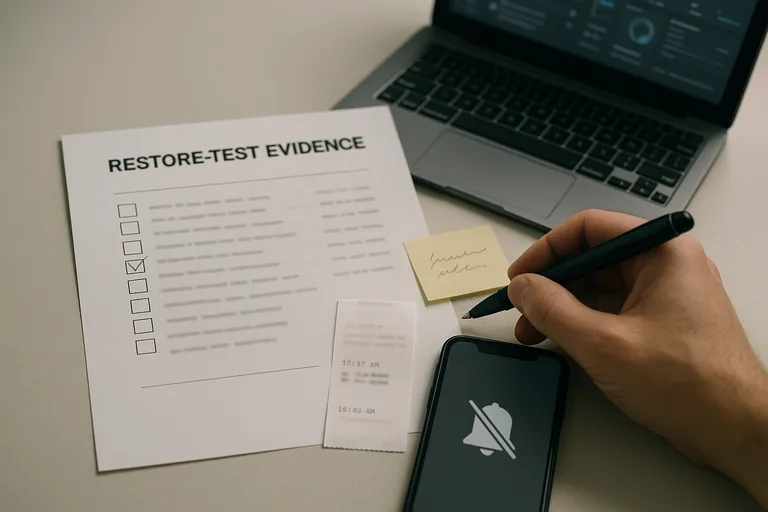
Business continuity and backup compliance cover more than backup software. They include critical system inventory, dependency mapping, recovery order, acceptable data loss, acceptable downtime, retention rules, protected storage, access restrictions, restoration procedures, and evidence that these controls are reviewed. What usually separates a stable environment from a fragile one is that the mature environment can show documentation and test records, not just say backups are running.
Why do leadership teams treat it as an operational control rather than a storage purchase?
Leadership teams treat this as an operational control because outages affect cash flow, scheduling, payroll, customer commitments, and sometimes regulatory obligations at the same time. In practice, the issue is rarely the tool alone; it is the process around it. A failed hypervisor host, a locked backup account, or a corrupted database transaction log can turn a short technical event into days of manual work if restoration priorities were never defined before the incident.
How does a competent continuity and backup process work in practice?
What should a business owner ask to judge whether the implementation is real?
Verification means testing restores, reviewing alerts, validating access, and documenting exceptions on a set cadence. During a routine infrastructure review, a capacity alert showed backup jobs as successful even though the repository had been skipping maintenance operations; the investigation found that the accounting server’s restore chain was incomplete and the issue had gone unnoticed because nobody was checking health warnings, only job completion totals. This tends to break down when teams measure backup success by completed tasks alone instead of clean restore results, signed test records, access review logs, and confirmed response to warnings.

- Ask for restore evidence: The most recent successful restore test should show what was restored, how long it took, who verified it, and whether any exceptions remain open.
- Ask for system-specific objectives: Competent teams can explain acceptable downtime and acceptable data loss for each critical application instead of giving one generic answer for everything.
- Ask where backups live: If copies remain only on the production network or use the same privileged credentials, ransomware and insider misuse can reach them too.
- Ask who owns failed jobs: A monitoring dashboard matters only if there is a named response workflow, ticket trail, and escalation path when a backup or replication job fails.
How do competent teams verify that backups and continuity controls actually work?
When does weak implementation become dangerous?
Weak implementation becomes dangerous when the plan exists on paper but ownership, isolation, and testing do not exist in practice. A common failure point is backing up servers to a device joined to the same domain, with the same administrative credentials used for daily support, while former staff accounts remain overprivileged and repository changes are never reviewed. Another is protecting servers but forgetting cloud applications, license keys, DNS records, MFA recovery methods, or vendor dependencies; the data may still exist, yet the business cannot recover in a controlled way.
What should happen next if the environment has not been reviewed recently?
If the environment has not been reviewed recently, the next step is not buying another tool first. Start with an asset and application inventory, rank critical processes, define acceptable downtime and acceptable data loss, confirm what is actually backed up, review retention and immutability, and run a supervised restore test for at least one critical workload. That exercise usually exposes whether the current environment is recoverable, where documentation is thin, and which gaps need to be fixed before an outage or audit forces the issue.