
Backup & Disaster Recovery in Truckee, California

Backup and disaster recovery for Truckee businesses is the discipline of keeping data recoverable, systems restorable, and operations moving after outages, ransomware, hardware failure, or severe weather so downtime, rework, and decision pressure stay controlled.
At 7:12 a.m., Angel Q. learned a Truckee office had lost its accounting server after a storage controller failed; the backup console was green, but offsite replication had silently stopped 19 days earlier, turning a recoverable outage into a $68,750 operational loss.
The following scenario is based on a redacted real-world business IT incident pattern. Identifying details have been changed for privacy, but the disruption sequence and cost impact remain realistic.

About the Author: Scott Morris
Scott Morris is an experienced IT and cybersecurity professional with 16 years of hands-on experience in managed technology services. He specializes in Backup & Disaster Recovery in Truckee, California and has spent his career building practical recovery, security, and operational continuity processes for businesses across Nevada.
Scott Morris is a managed IT and cybersecurity professional who helps businesses manage infrastructure stability, reduce cyber risk, protect data, maintain recoverable systems, and restore operations after outages or security events. Scott Morris has 16+ years of managed IT and cybersecurity experience. That background is directly relevant to Backup & Disaster Recovery in Truckee, California because experienced IT teams do not stop at installing backup software; they define recovery priorities, secure backup access, monitor failures, test restores, and use documentation to reduce downtime, business disruption, and security exposure in real operating environments, including the Reno and Sparks business communities Scott Morris supports.
The discussion below explains common recovery design and evaluation issues seen in business environments, including security and continuity tradeoffs. This is general technical information; specific network environments and compliance obligations change strategy.
Backup and disaster recovery is not one product. It is the set of controls, copies, restore procedures, and recovery priorities that determine whether a Truckee business can resume accounting, scheduling, file access, phones, and line-of-business systems after failure. A useful way to judge backup and disaster recovery planning is by two numbers: how much data can be lost without major harm and how long the business can operate in a degraded state before revenue, payroll, client service, or compliance is affected.
That matters in Truckee because business interruption is not limited to cyber events. A common failure point is a small office with one internet circuit, one aging storage device, and no tested cloud recovery path during snow closures or utility disruption. In mature environments, managed IT services in Truckee treat continuity as an operational discipline: asset inventory, backup scope, credential protection, escalation ownership, and restoration sequencing are defined before an emergency rather than improvised during one.
What does backup and disaster recovery actually mean for a Truckee business?
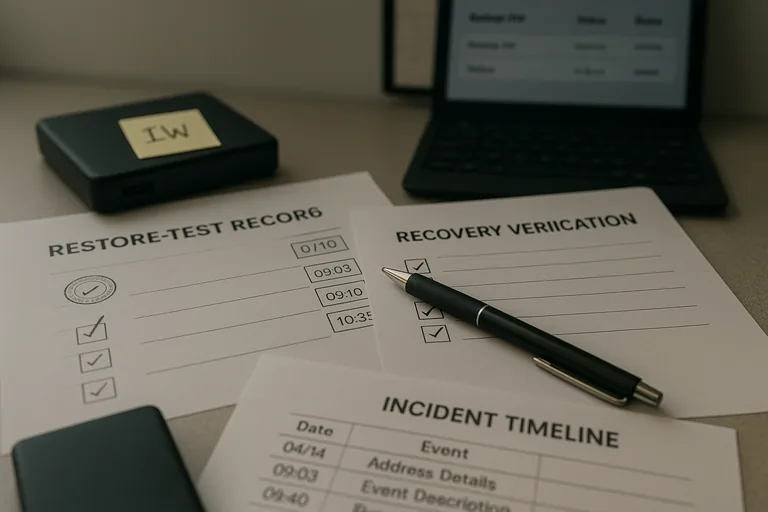
Backup is the preservation of recoverable copies of data and system states. Disaster recovery is the process of restoring the business in a controlled order when something important fails. In practice, that means deciding which systems must return first, what dependencies they have, who approves failover, and what recovery point objective and recovery time objective are acceptable for each workload. What usually separates a stable environment from a fragile one is whether those priorities are defined per system rather than assumed across the board.
Why does it matter so much in Truckee, California?
Truckee businesses often operate with lean staffing, specialized software, and limited tolerance for downtime during busy seasonal windows. Weather-related access issues, power instability, internet interruptions, and delayed hardware replacement can turn a manageable technical issue into an operational problem if the recovery design assumes someone can simply drive in, swap hardware, and keep working. A competent recovery plan accounts for the fact that local conditions can slow physical response, which makes remote recoverability, documented procedures, and role clarity more important than many owners first expect.
Which risks does a well-built recovery program actually reduce?
A well-built program reduces the impact of server failure, accidental deletion, bad updates, database corruption, credential-based attacks, and ransomware that targets both production systems and the backup path. Guidance from the Cybersecurity and Infrastructure Security Agency (CISA) emphasizes the 3-2-1 backup model and protection of backup storage because attackers often try to encrypt or delete recovery copies before the business notices. In business terms, the risk is not only losing data; it is losing negotiating power, losing time, and discovering too late that the same compromised account could reach both the live server and the backup repository.
How should backup and disaster recovery work in practice?
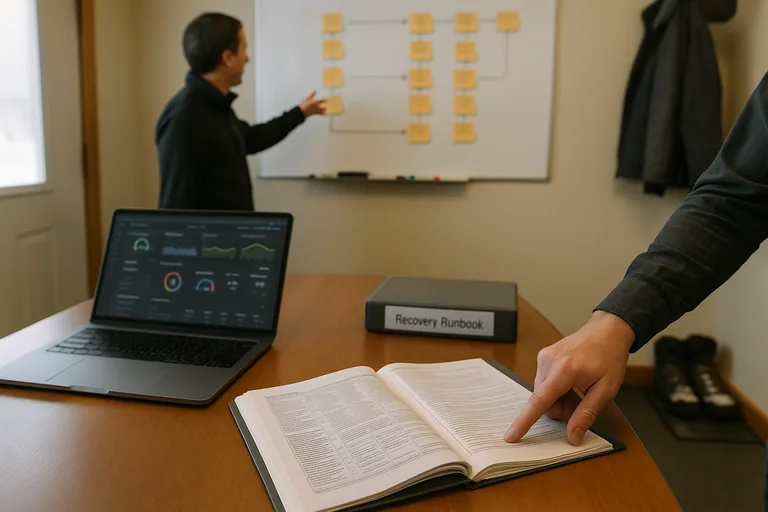
In a mature environment, workloads are inventoried, critical systems are ranked, backup agents are configured with application-aware settings where needed, copies are sent to separate storage, and at least one protected copy is isolated through immutability, offline handling, or access separation. Monitoring should not only show job status; it should generate actionable alerts with named ownership and escalation timing. During a routine review, it is common to find a console reporting successful backups while a sandbox restore exposes a deeper problem, such as broken database consistency or an expired replication credential. The lesson is that the tool alone is not the control; the control is the workflow around it, including monitoring, error handling, restore testing, and an ordered recovery runbook.
How can a business verify that its recovery capability is real?
Ask for evidence, not reassurance. A competent provider or internal team should be able to show recent restore test records, a recovery runbook naming system order and dependencies, a current asset inventory, backup success and failure reporting, exception logs for devices not protected, and documented recovery objectives by application. One of the first things experienced IT teams check is whether test restores were performed to an isolated environment and whether the results were reviewed by someone who understands the application, not just the backup software. Without that evidence, many organizations assume they are covered when they actually only know that jobs ran.
When does weak implementation become dangerous?
Weak implementation becomes dangerous when backup status is treated as a checkbox instead of a recoverability standard. A common failure point is a green dashboard hiding missing servers, expired agents, or a backup repository that uses the same privileged credentials as the production domain. In environments that have not been reviewed recently, it is also common to find undocumented encryption keys, no SaaS backup for mail or file collaboration, and no tested process for restoring line-of-business applications in the right sequence. This tends to break down when pressure is highest, because the business learns during the outage that the copies exist but the environment is still not restorable.
What should leadership do next if the current setup is unclear?
Start with a practical review: identify the systems that stop revenue, service delivery, payroll, or client communication; assign acceptable downtime and data-loss tolerances; confirm where protected copies actually live; and require a real restore test for the highest-impact workload. Then review ownership, alert routing, credential separation, and documentation quality. A business leader does not need to know every technical setting, but should be able to ask who is responsible for recovery, what evidence proves it works, and what the business cannot currently restore within an acceptable timeframe.